 Global Services
 If you need assistance at any point during your learning journey, EtechRU provides two quick ways to get help.
Option 1 : Contact Site Support
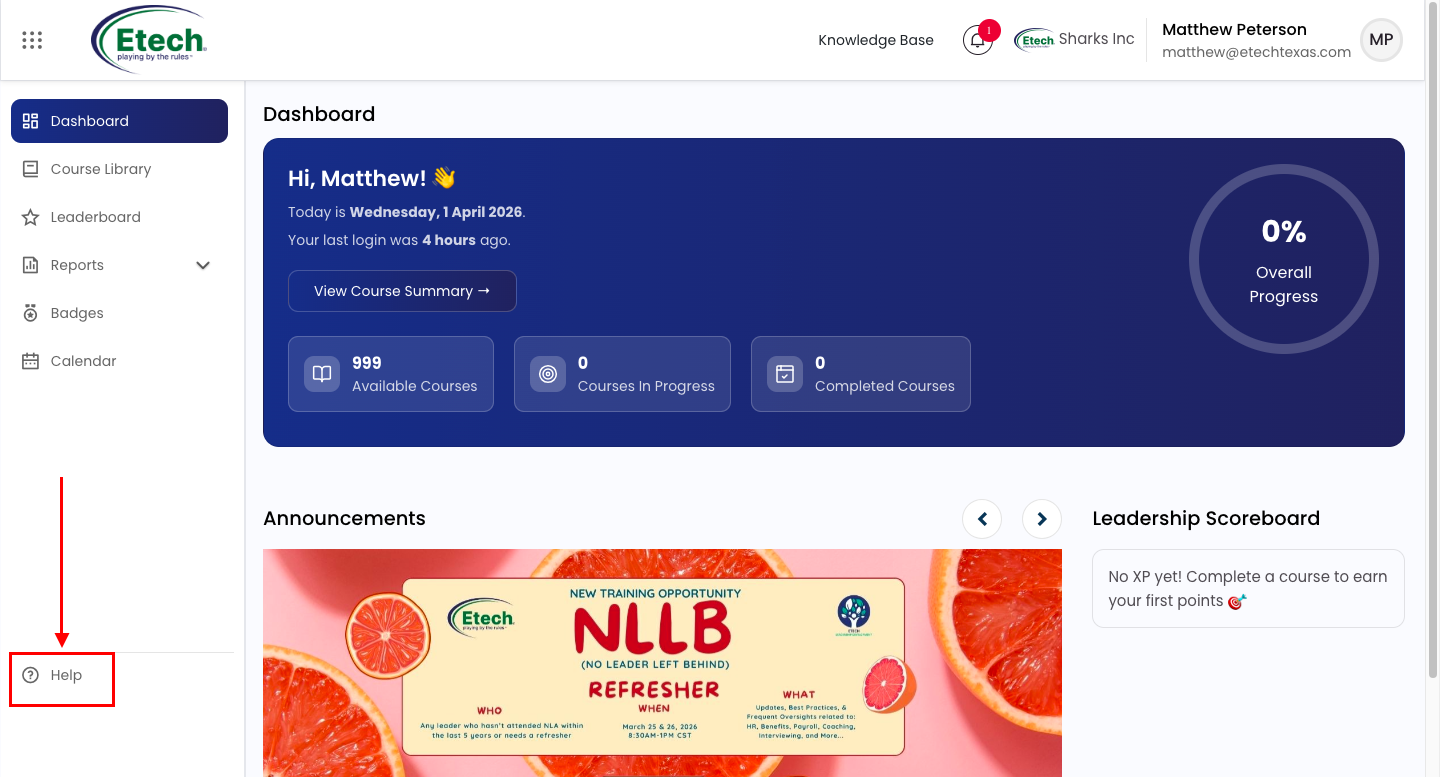
- Click the Help (?) button located at the bottom-left corner of any page.
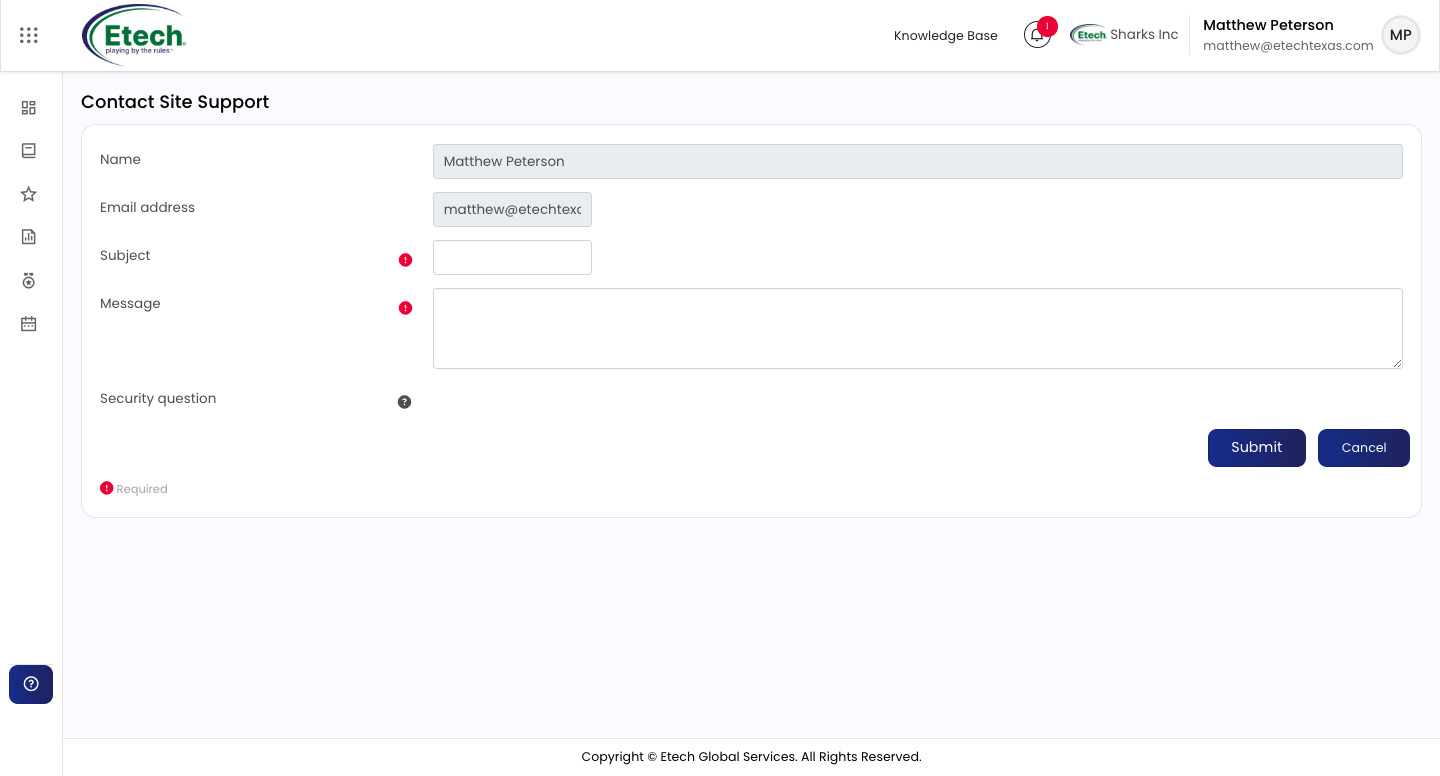
- The Contact Site Support form will open with your name and email address pre-filled.
- Enter a Subject describing your issue.
- Type your Message with as much detail as possible.
- Complete the Security Question and click Submit.
 Your request will be reviewed by the support team and you will receive a resolution shortly via email.
Required fields: Subject and Message.
Option 2 : Knowledge Base
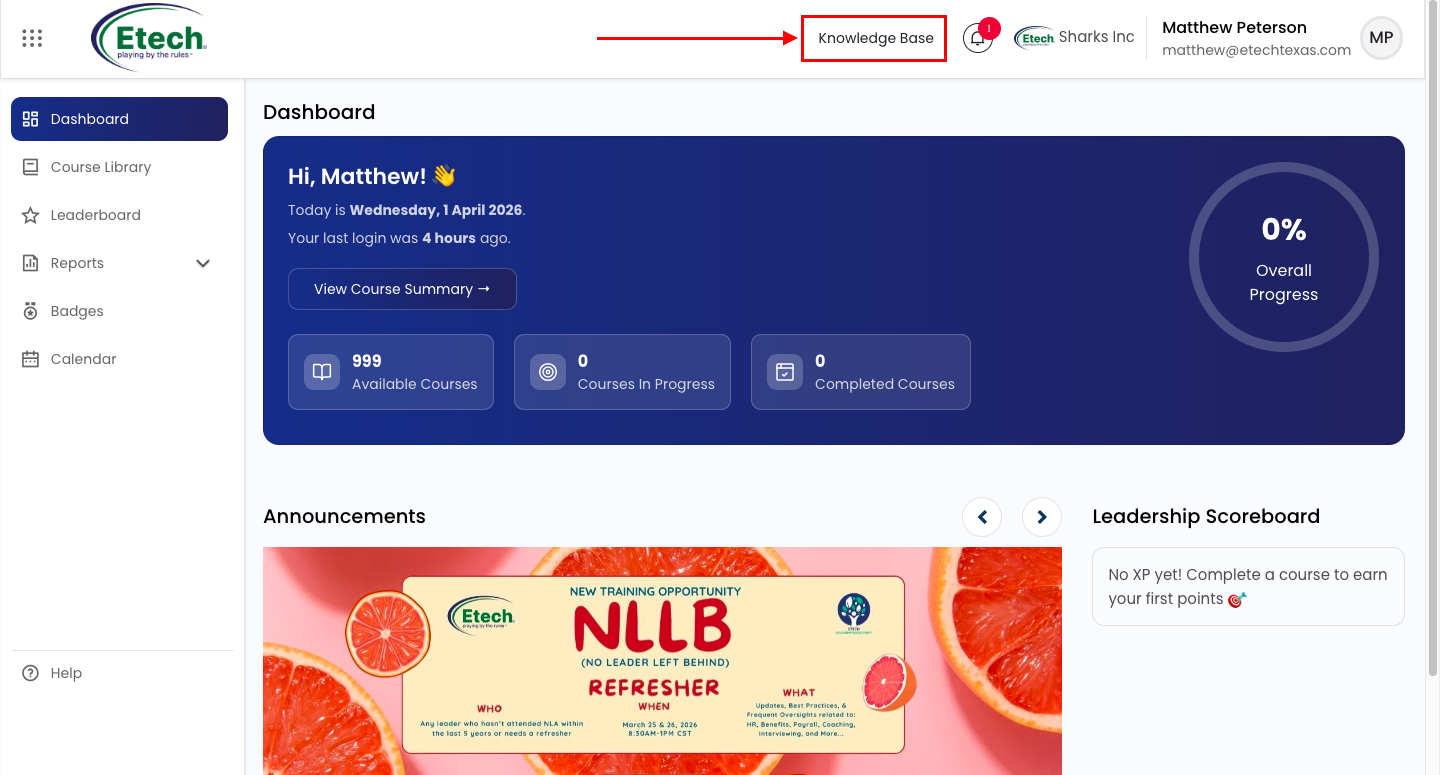
For quick self-service answers, click the Knowledge Base link in the top navigation bar, located before the notification bell. The Knowledge Base contains articles, guides, FAQ’s, and step-by-step instructions to help you resolve common queries without needing to contact support.
Tip: Always check the Knowledge Base first, your question may already have a detailed answer ready.

Video