 Global Services
 The Help feature in Etech Remarkable University (EtechRU) enables users to easily connect with the support team for any platform-related assistance.
Users can submit requests directly from the platform for issues such as course access, technical errors, or general inquiries.
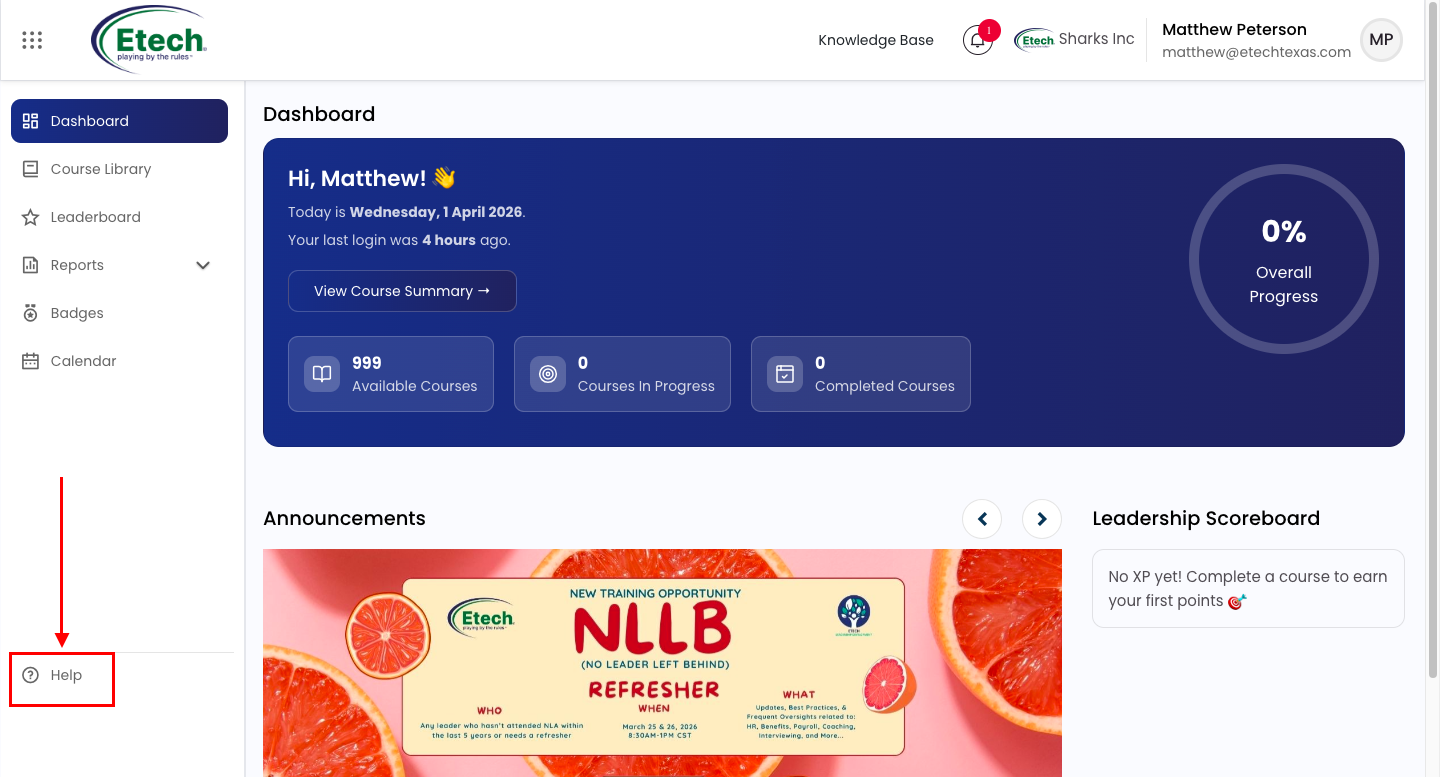
You will be redirected to the Contact Site Support page.
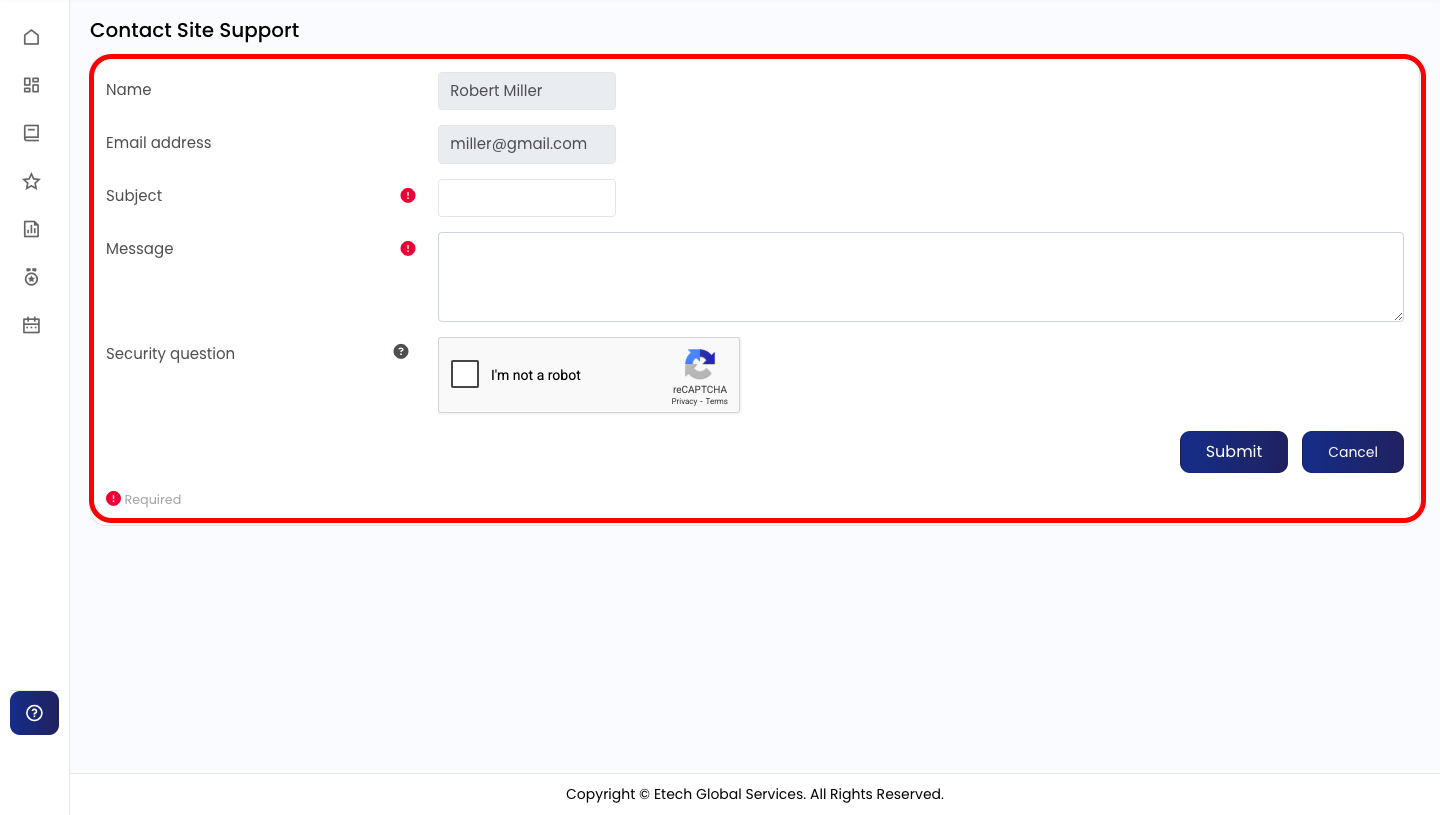
On the support page, fill in the required details:
- Name (auto-filled)
- Email Address (auto-filled)
- Subject (brief summary of the issue)
- Message (detailed description of your concern)
Complete the security check (Captcha) and click on Submit.
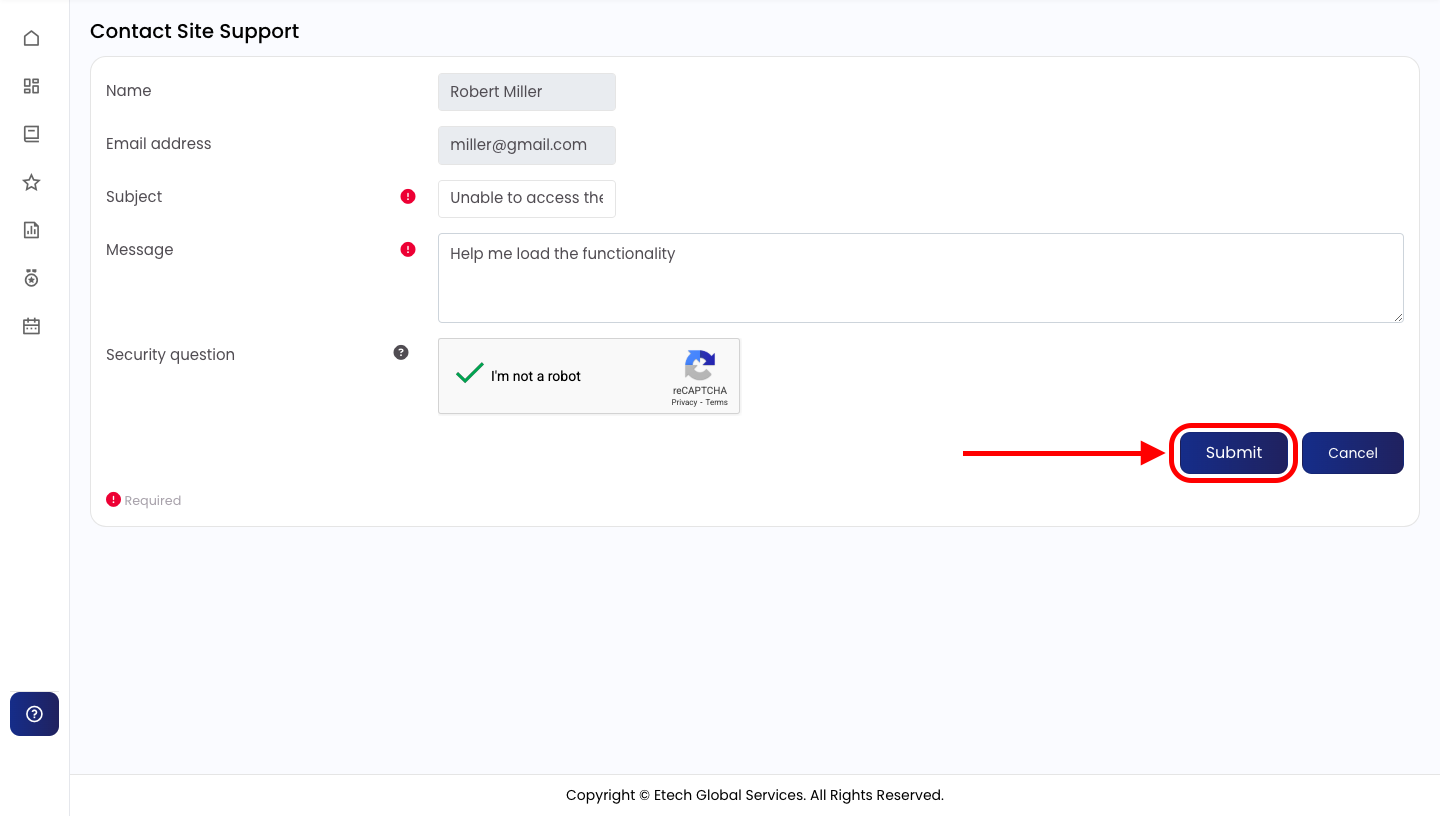
Note: The Subject and Message fields are mandatory, please ensure both are completed before submitting.
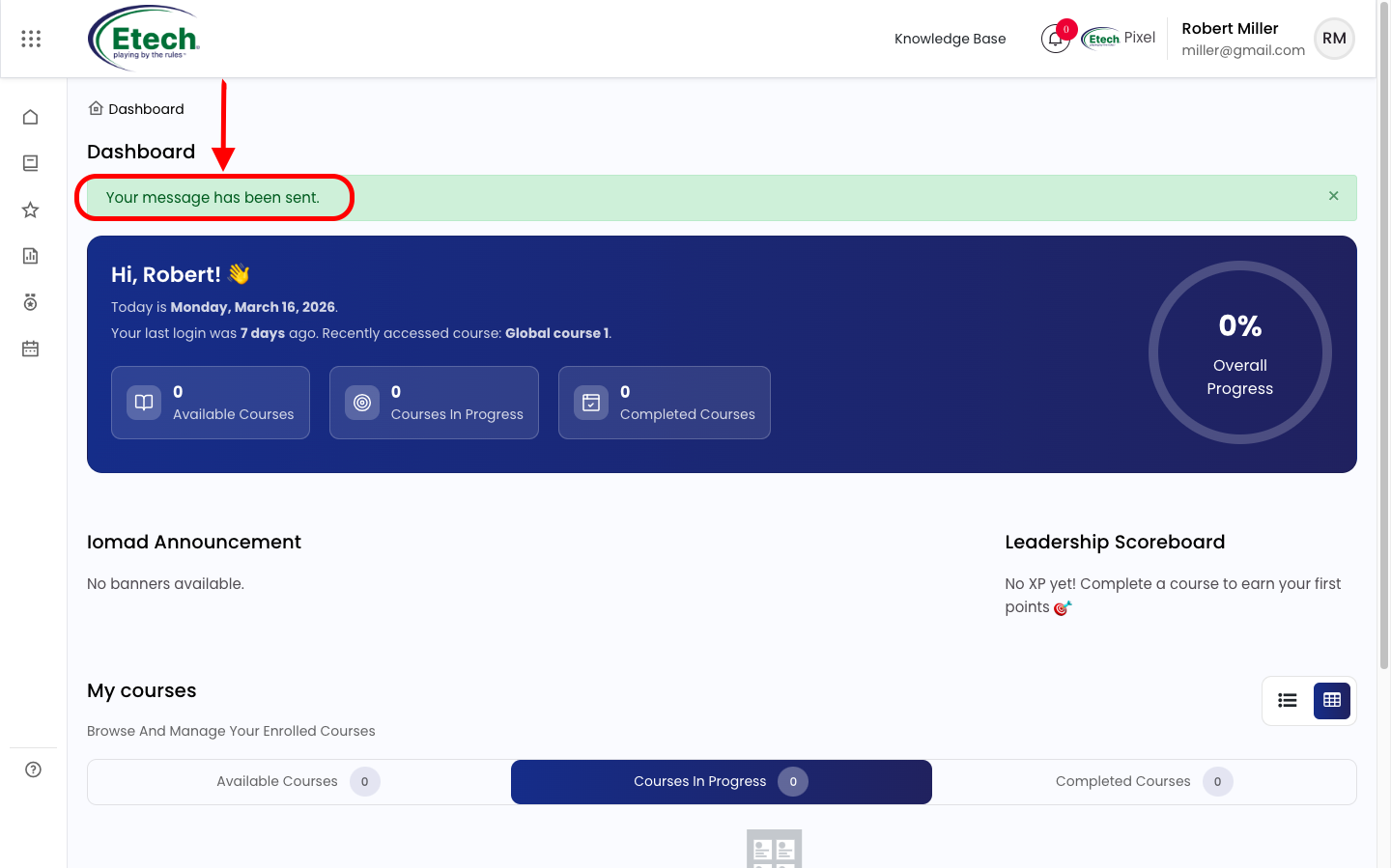
When to Use Help
Use this feature if you need assistance with:
- Course visibility or enrollment problems
- Platform errors or bugs
- General navigation or usage guidance
Need Immediate Assistance?
You can also reach out directly:
Email: support@yourcompany.com
Phone: [Your Organisation’s Support Number]

Video