 Global Services
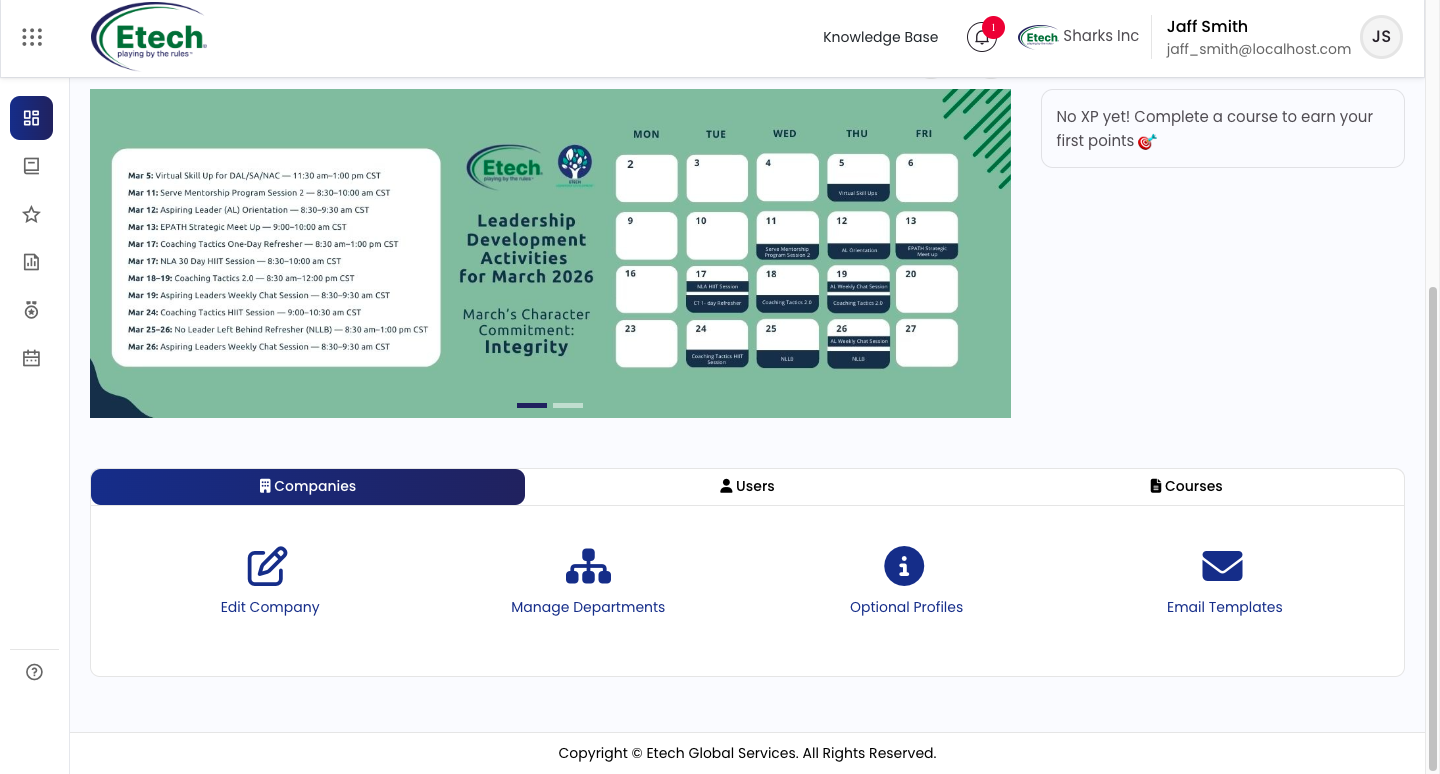
 After logging in with a Company Manager, Department Training Manager, or Report Viewer role, you will land on the Dashboard.
The dashboard serves as your central workspace, providing:
- A quick overview of course-related data
- Key announcements and updates
- A leadership scoreboard highlighting performance insights
To access administrative tools and configuration options, scroll down the dashboard. The available modules and actions will vary based on your assigned role.
Administrative Structure & Role-Based Access
EtechRU follows a structured administrative hierarchy to ensure efficient and controlled learning management across the organization.
Role-Based Dashboard Experience
The dashboard dynamically adapts based on the user’s assigned role, providing relevant access and functionality:
- Company Manager: Full access to company configuration, user and department management, course setup, and administrative controls
- Department Training Manager: Access limited to department-level user management and course administration
- Report Viewer: Read-only access to reports and analytics
Company Manager (Primary Administrator)
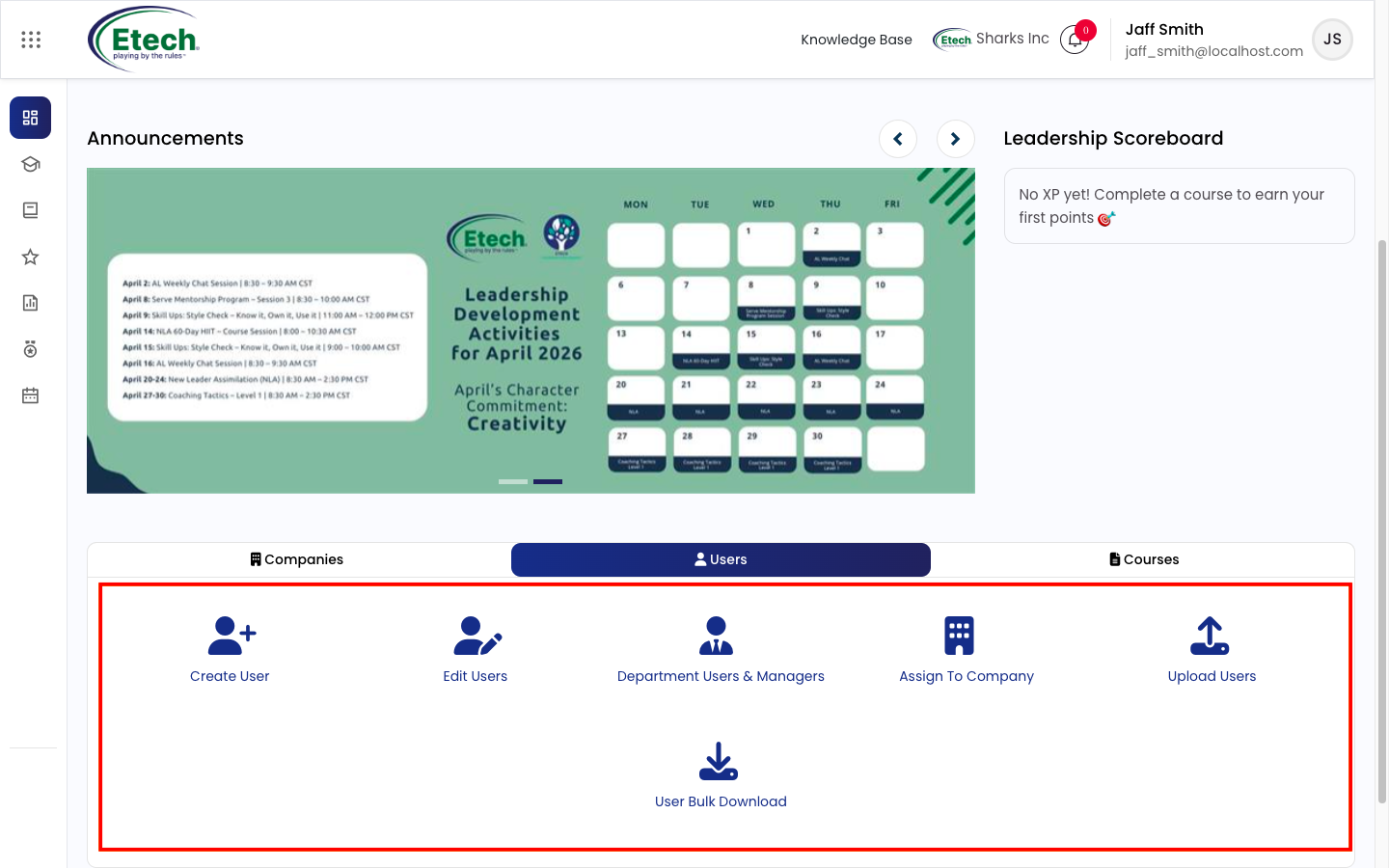
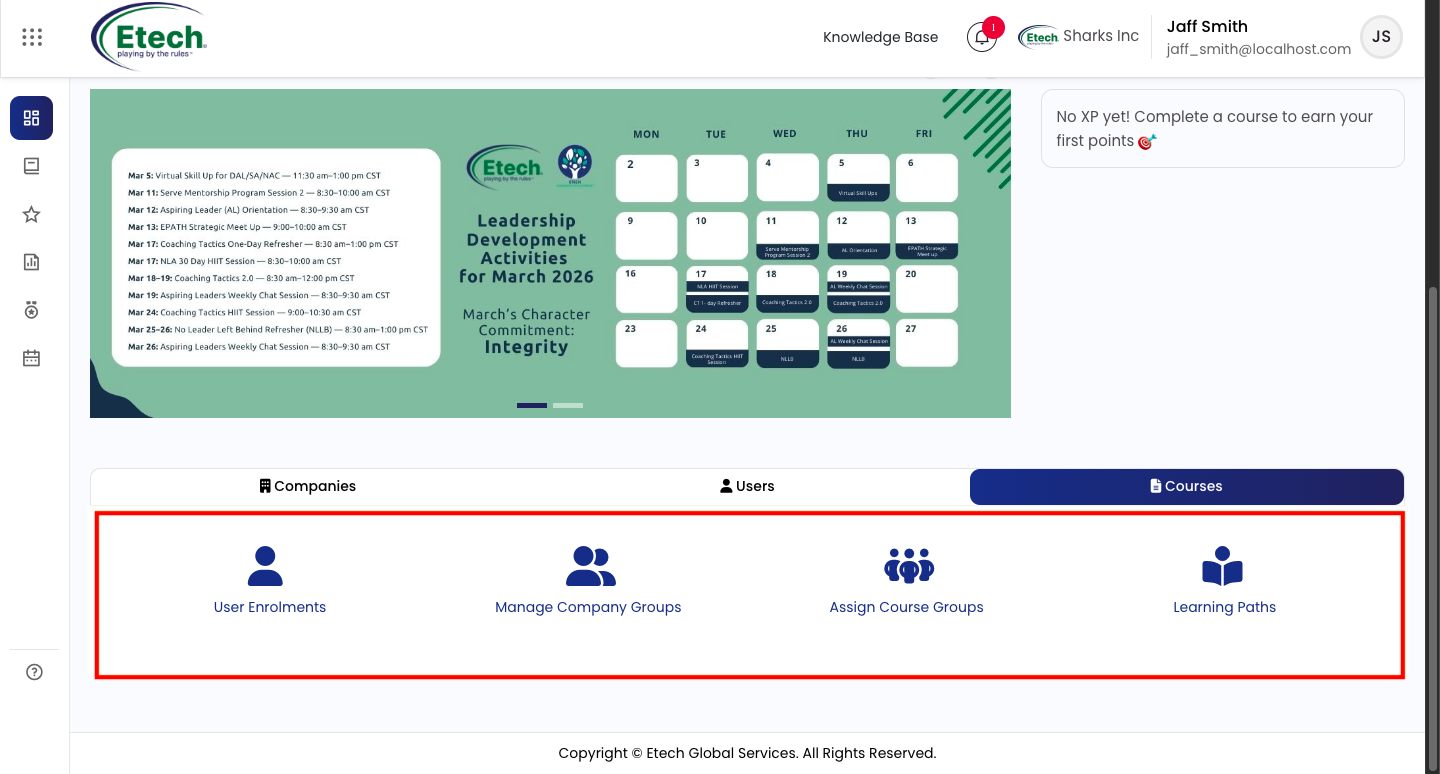
The Company Manager holds complete control over the organisation’s learning environment. Key responsibilities include:
- Managing company configuration and setup
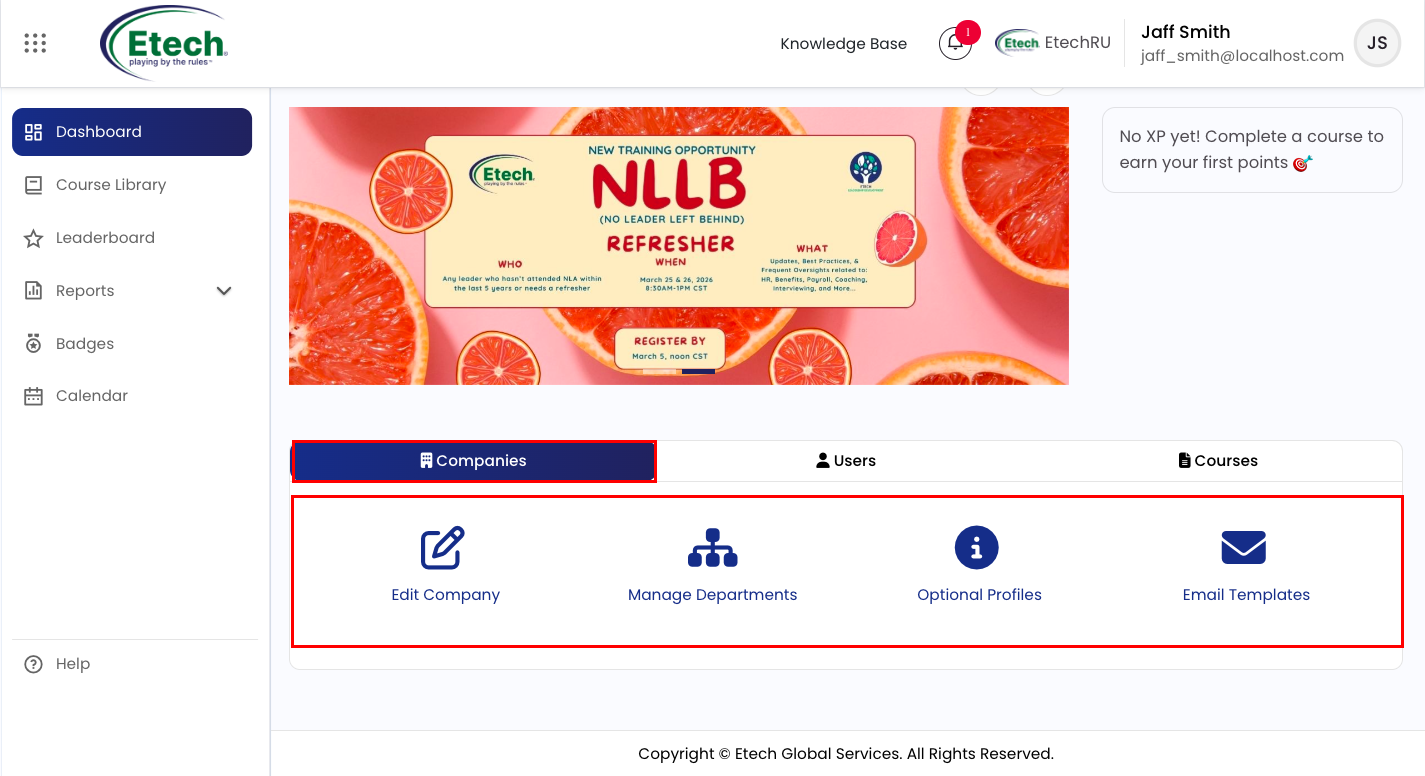
- Creating and managing users and departments
- Assigning courses and managing enrollments
This role acts as the central authority for all administrative functions.
Department Training Manager
Key Responsibilities:
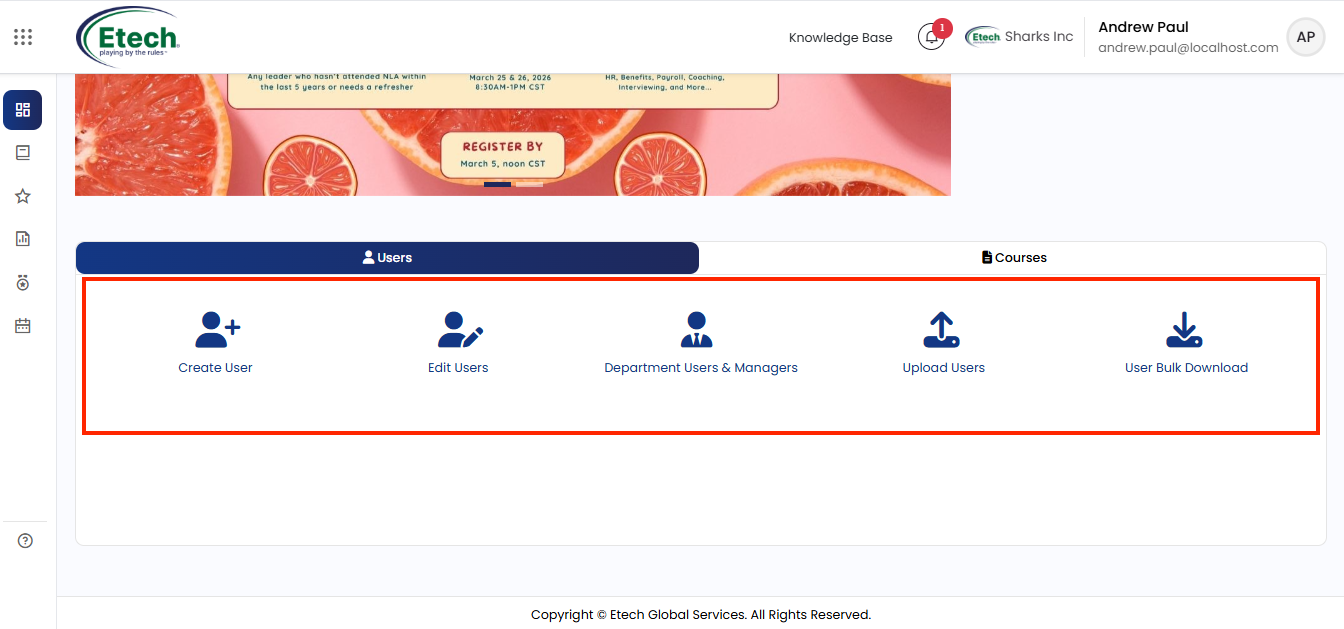
- User Management: Manage and maintain users within the assigned department, including role assignments and updates
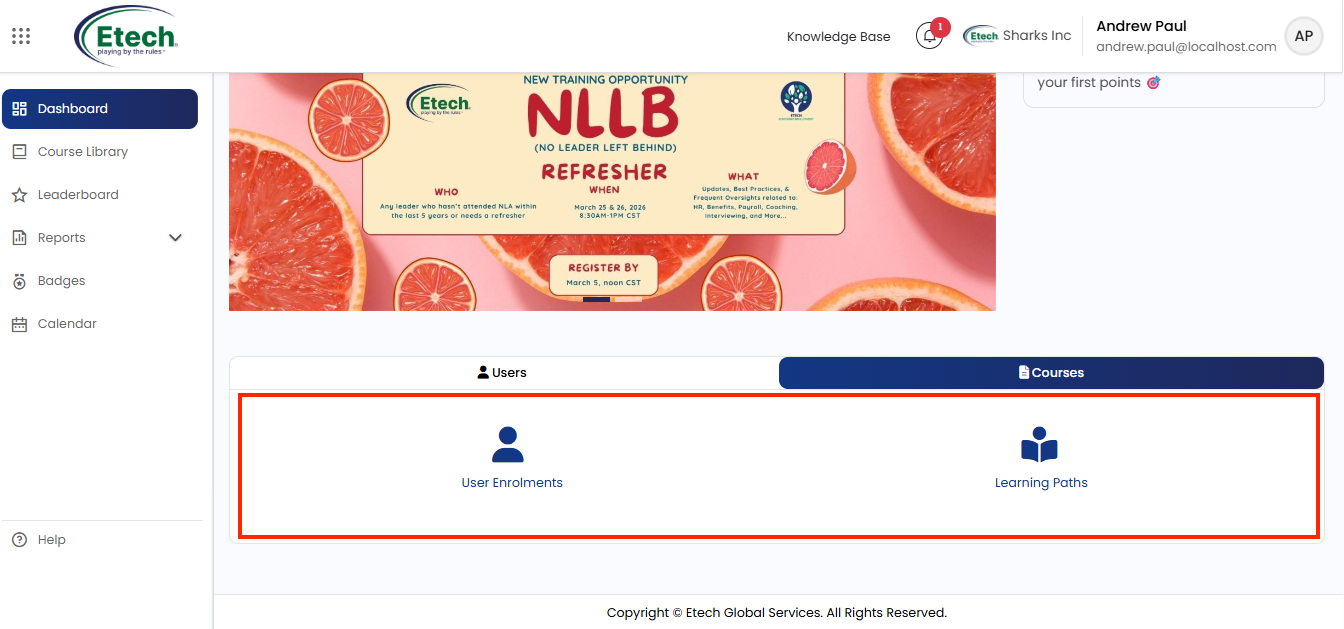
- Course Enrollment: Assign courses, manage enrollments, and build learning paths for department users
 This role is ideal for department heads or team leads who need operational control over their team’s learning activities while maintaining alignment with organisational goals.
Report Viewer
The Report Viewer role provides designated users with read-only access to reporting tools within EtechRU. This role is designed for stakeholders who require visibility into learning activities and performance metrics without the ability to make administrative changes.
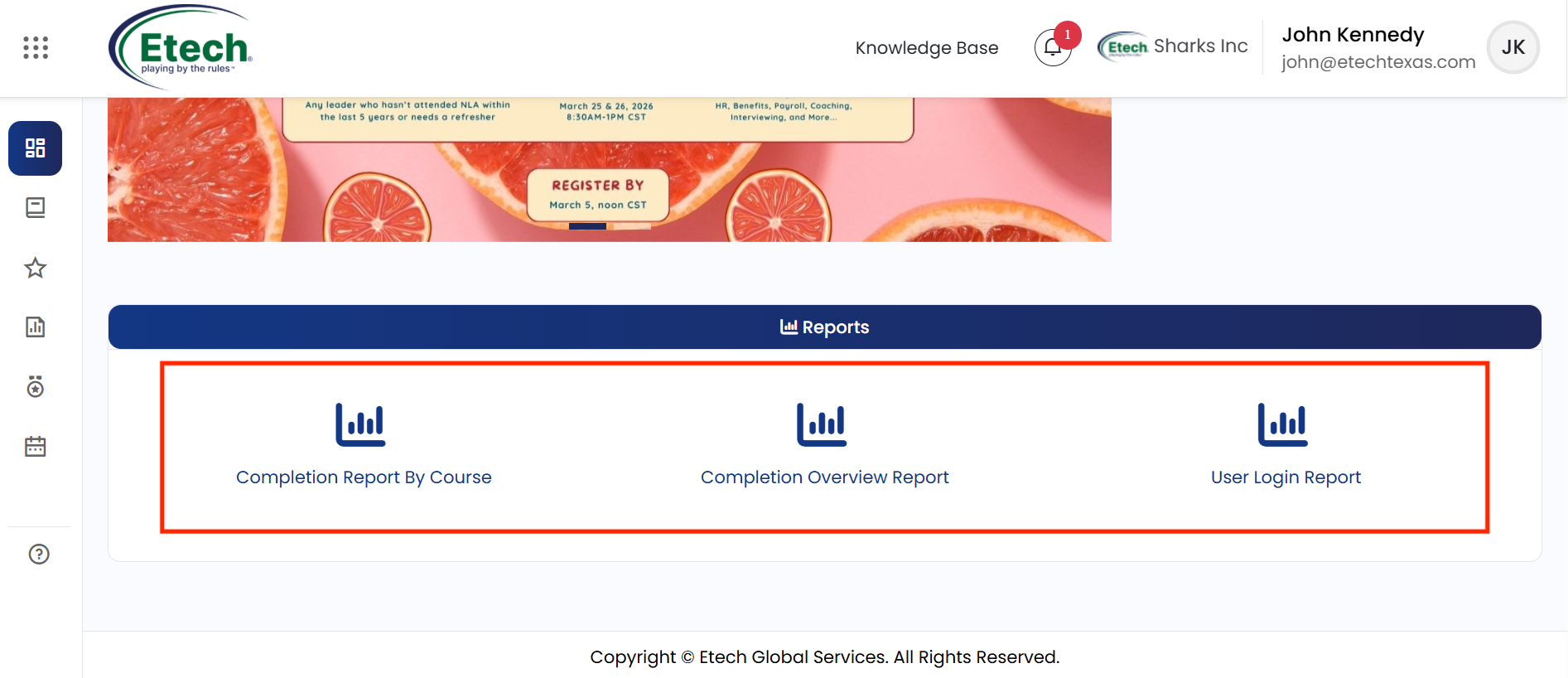
With access to comprehensive reports, users can track training activity, course completions, user login history, and license usage across the organisation, supporting data-driven decision-making and performance monitoring.
Key Responsibilities:
- Reporting & Insights: View reports on course completion and learner progress
- Performance Monitoring: Track training activity and user engagement
- Read-Only Access: Access data without making any changes
Users can access the following reports:
- Completion Report by Course
- Completion Overview Report
- User Login Report
This role is ideal for stakeholders who need visibility into learning performance without administrative permissions.
Summary
EtechRU’s role-based structure is designed to ensure clarity, control, and operational efficiency:
- Company Manager → Oversees and manages the entire system
- Department Training Manager → Handles department-level execution and learning management
- Report Viewer → Monitors performance through reports and insights
This layered approach ensures appropriate access for each role while maintaining data security and streamlined operations across the platform.

Video