 Global Services
 The Enrolled Courses section provides a centralized view of your learning journey, allowing you to track progress, access courses, and monitor performance in one place.
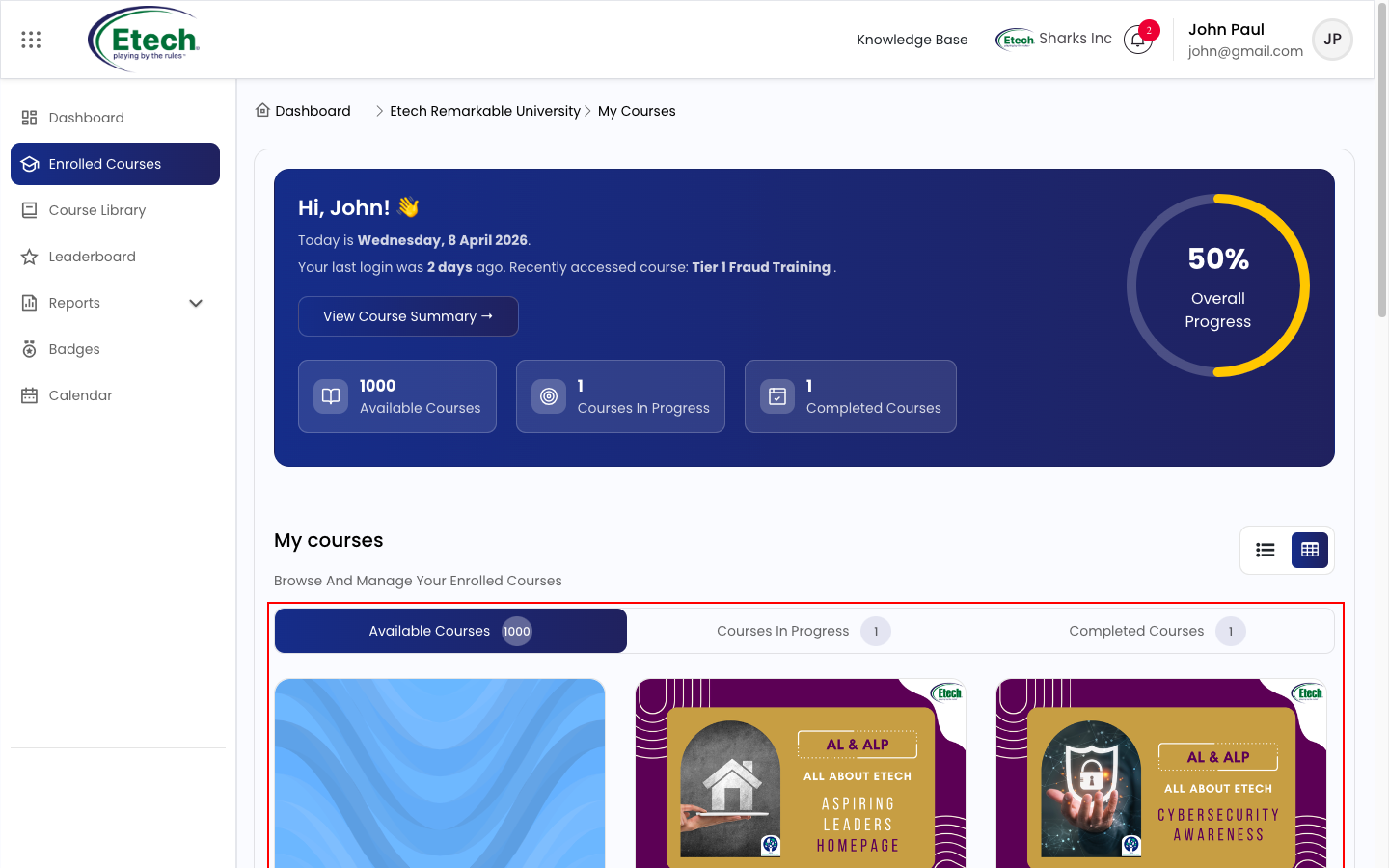
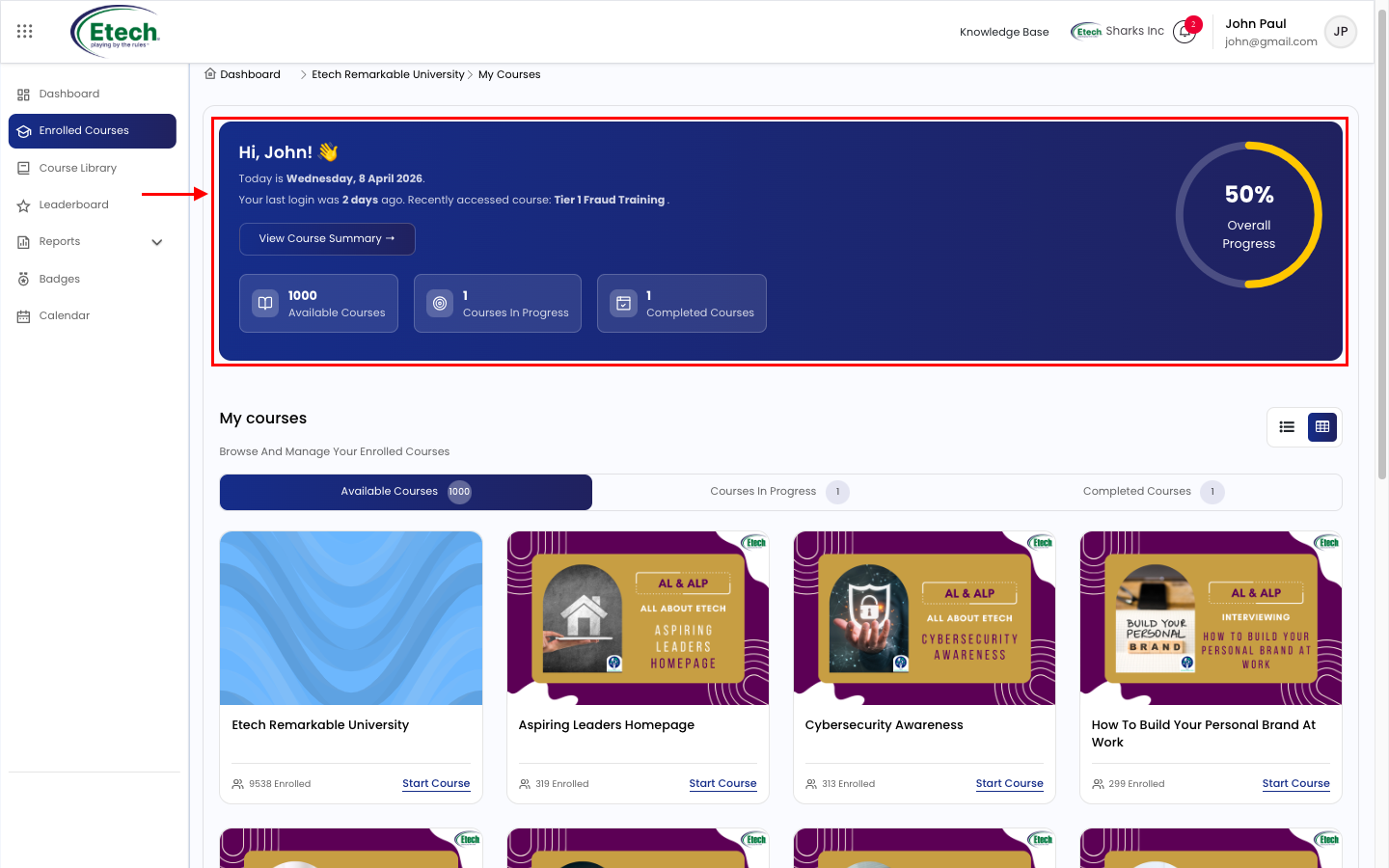
At the top of the page, you will find key summary insights:
Summary Cards
- Available Courses: Displays the total number of courses available to you.
- Courses in Progress: Shows the number of courses you have started but not yet completed.
- Completed Courses: Indicates the total number of courses you have successfully completed.
- Overall Progress Indicator: A visual progress ring representing your overall learning completion percentage.
- View Course Summary: Click to access detailed insights into your course progress and performance.
Course Tabs Navigation
Users can switch between different course views using the tabs:
- Available Courses: Displays all courses accessible to you.
- Courses in Progress: Shows courses that have been started but are not yet completed.
- Completed Courses: Lists all courses you have successfully completed.
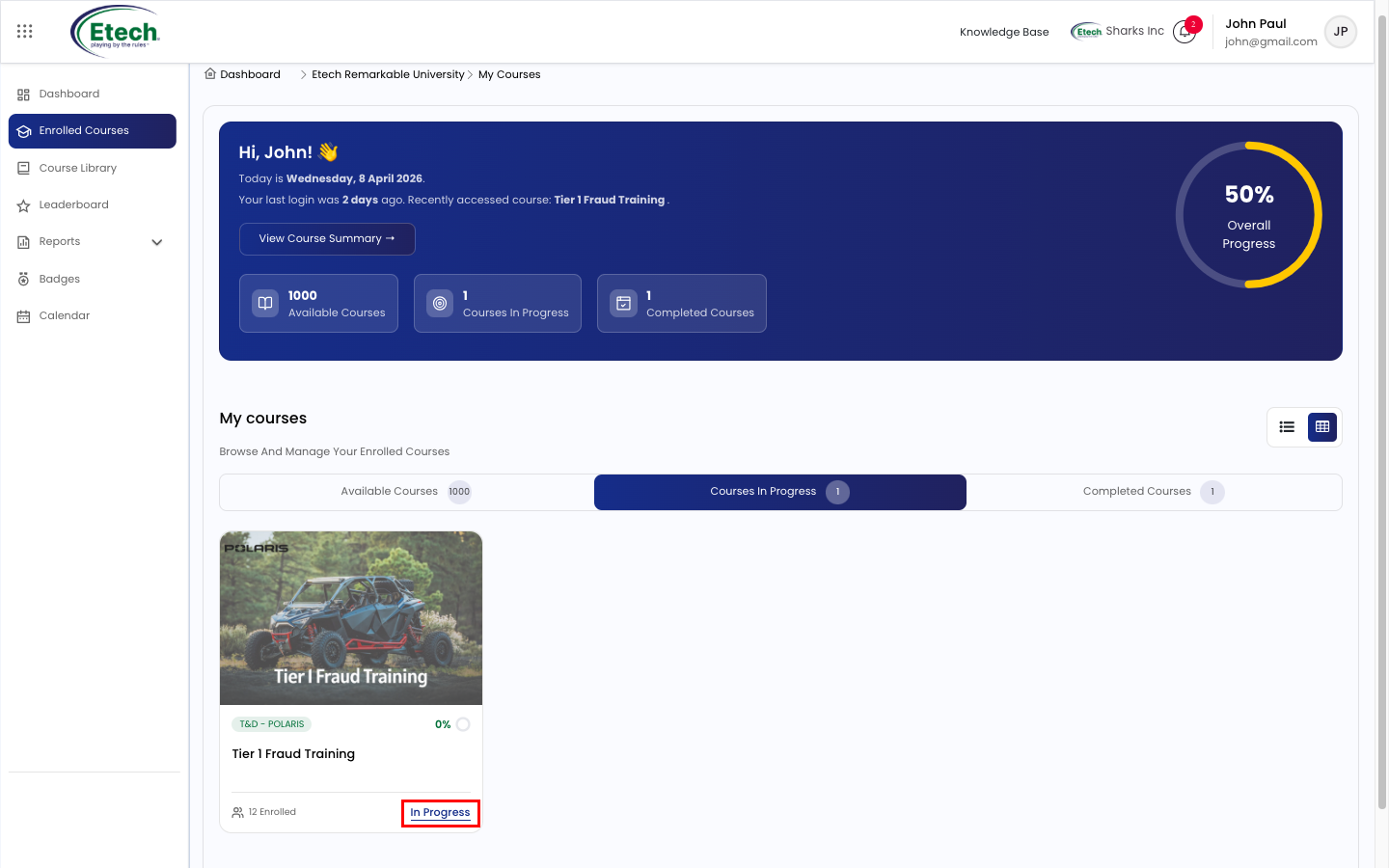
These tabs help you quickly filter and manage your learning activities.
Course Listing
- Courses are displayed as cards with:
- Course title and thumbnail
- Category or tag
- Enrollment details
- Quick action options (e.g., Start/Resume)
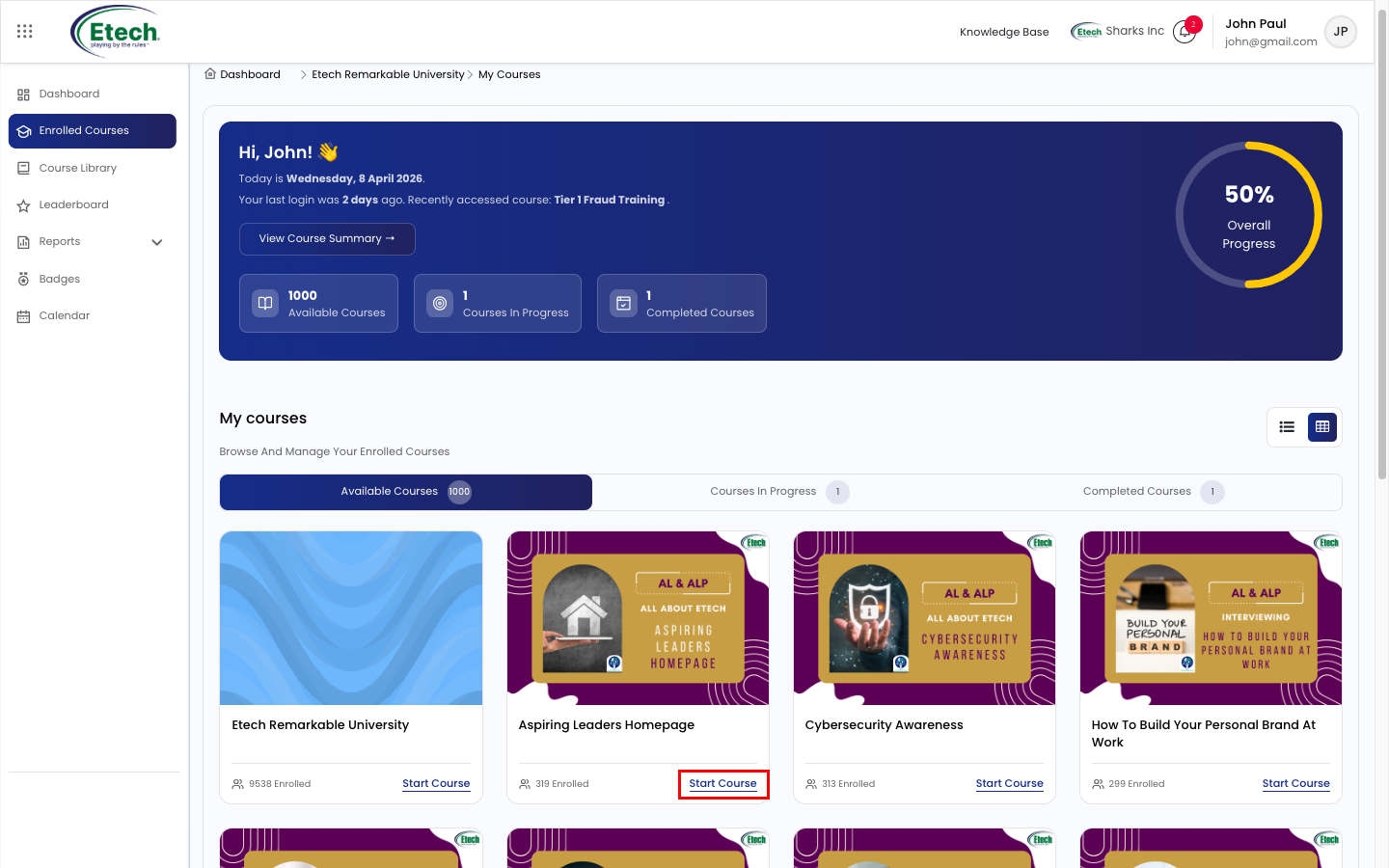
- Scroll through the section to browse your courses.
View Toggle Options
In the top-right corner, you can switch between layout views:
- Grid View: Displays courses in a visual card-based layout.
- List View: Displays courses in a structured row-wise format for quick scanning.
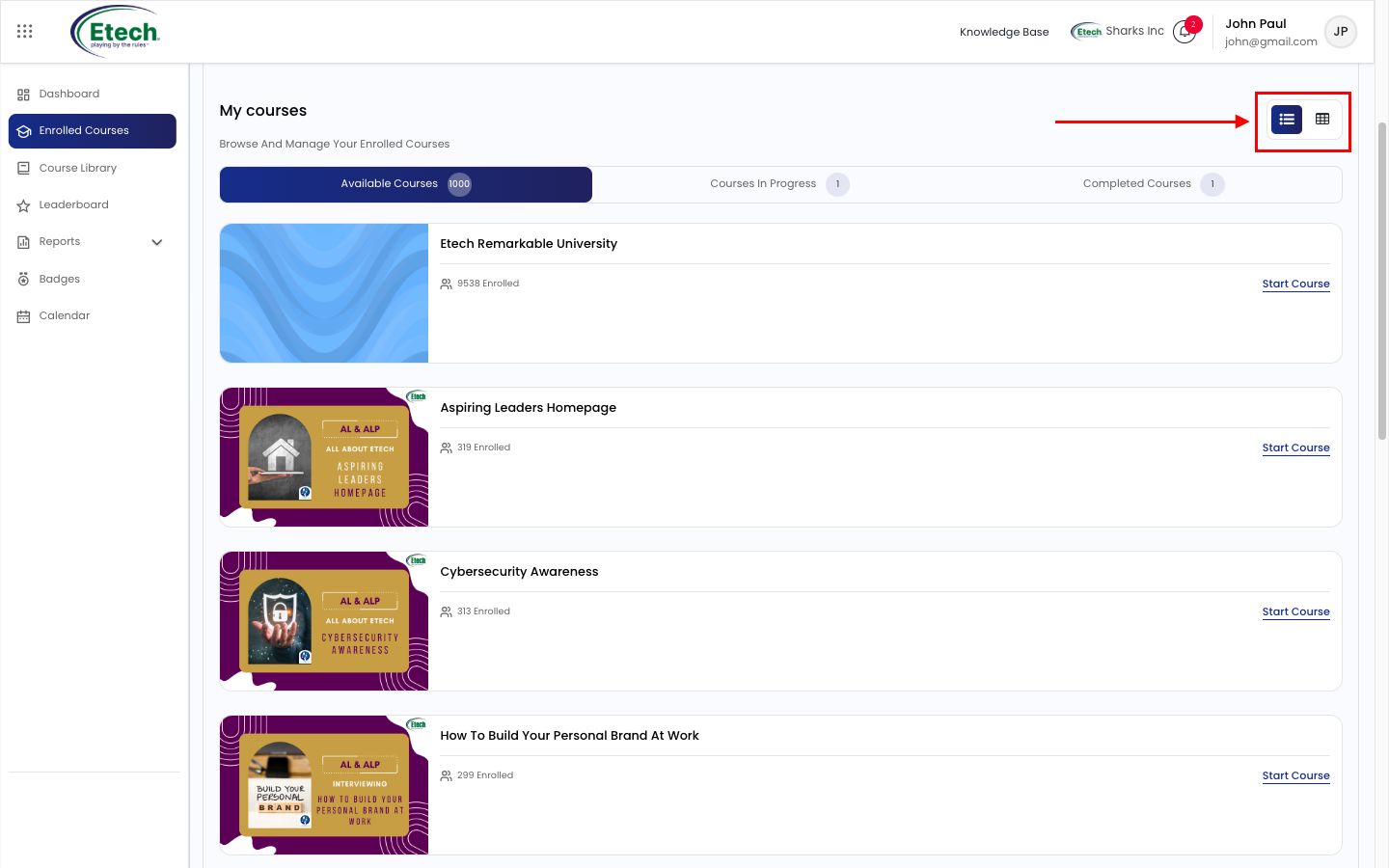
This allows you to customize how course information is displayed based on your preference.
Key Benefits
- Centralized view of all enrolled courses
- Quick access to course progress and status
- Easy navigation using tabs and filters
- Flexible viewing options (Grid/List)
- Real-time tracking of learning progress
Best Practices
- Regularly review the Courses in Progress tab to stay on track
- Use the Completed Courses tab to track achievements
- Switch between views for better visibility based on your preference
- Monitor your overall progress to stay aligned with learning goals

Video