 Global Services
 Your profile is your personal space on EtechRU. It stores your account information, learning activity, and access to privacy settings, all in one place.
How to Access Your Profile
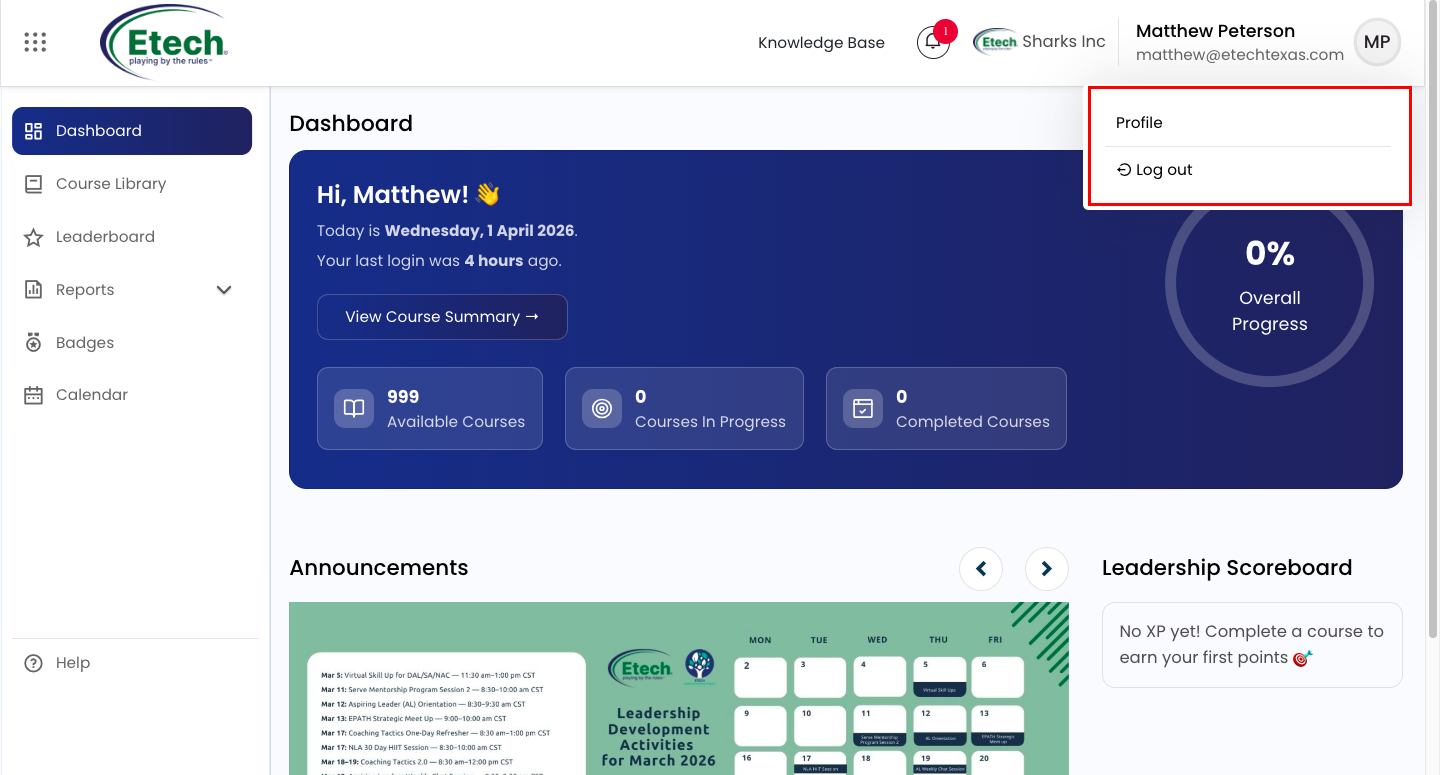
- Click your name in the top-right corner of any page.
- Select Profile from the dropdown menu.
What You Can View on Your Profile
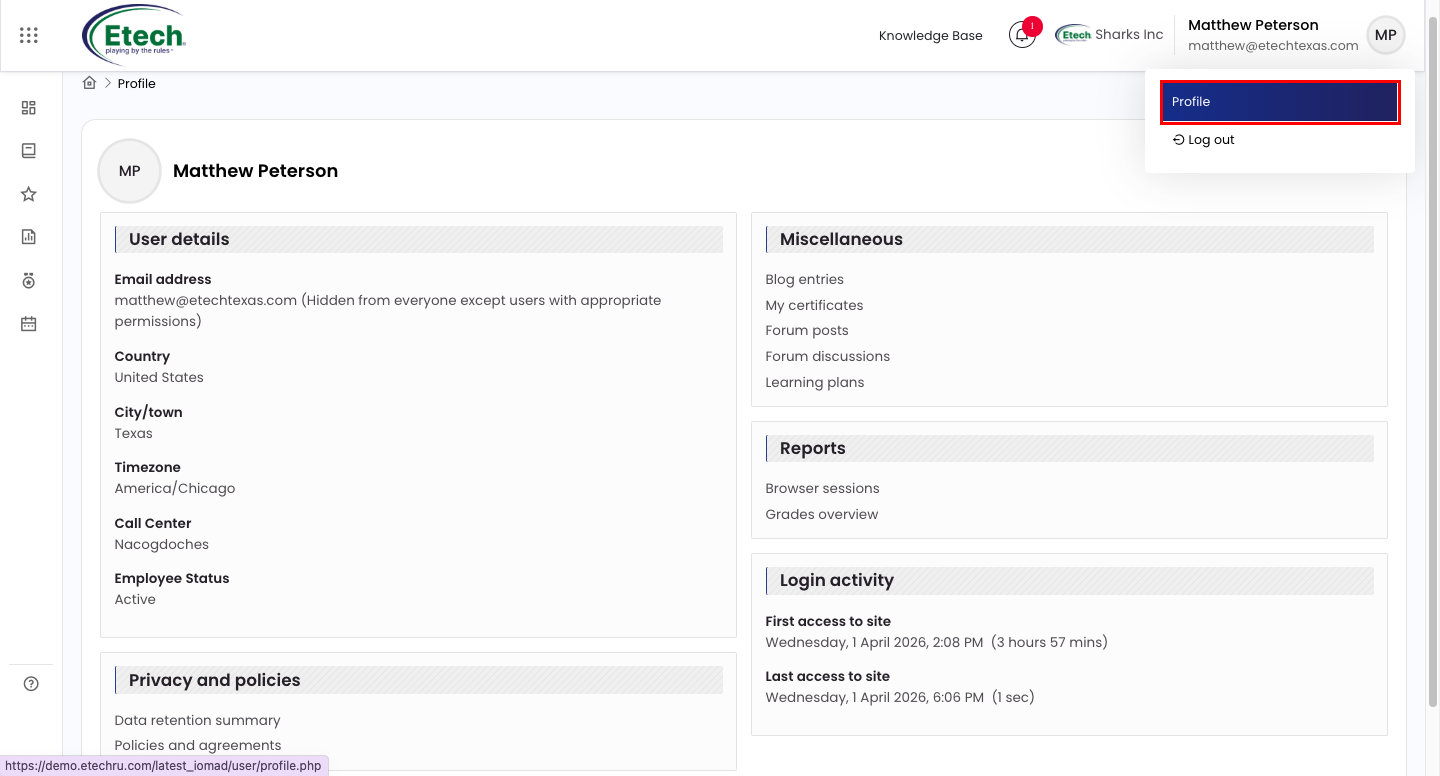
User Details
- Email address
- Country and City/Town
- Timezone
- Call Center location
- Employee Status
Privacy and Policies
- Data retention summary
- Policies and agreements
Miscellaneous
- Blog entries
- My certificates
- Forum posts and discussions
- Learning plans
Reports
- Browser sessions
- Grades overview
Login Activity
- First access to site (date, time, and session duration)
- Last access to site (date, time, and session duration)
When you are done for the day, click your name in the top-right corner and select Log Out to securely sign out of your EtechRU account. Always log out when using a shared or public device.

Video