 Global Services
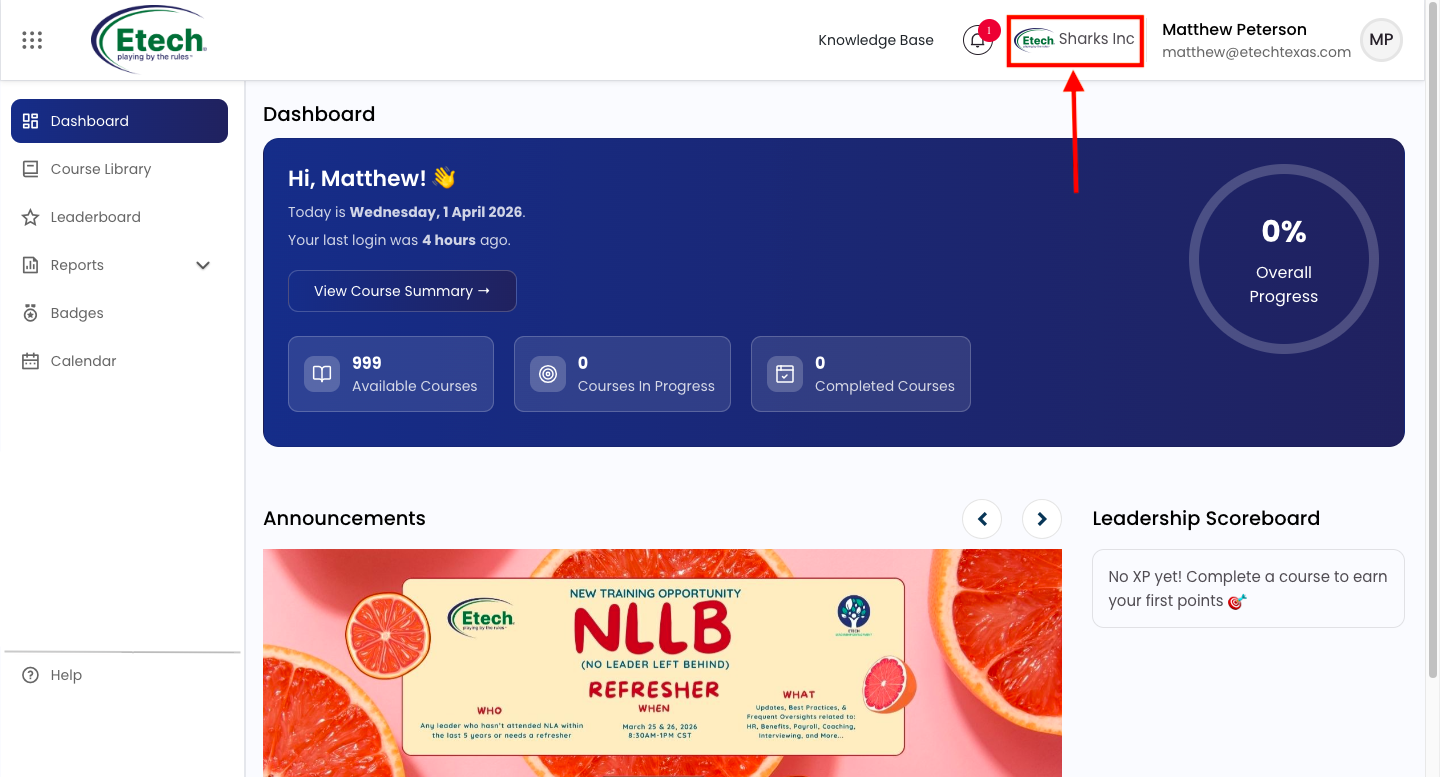
 After logging in, you will be directed to the EtechRU main dashboard, which serves as your central hub for accessing courses, tracking progress, viewing announcements, and staying updated on events. Each section is interactive, allowing quick access to detailed information.
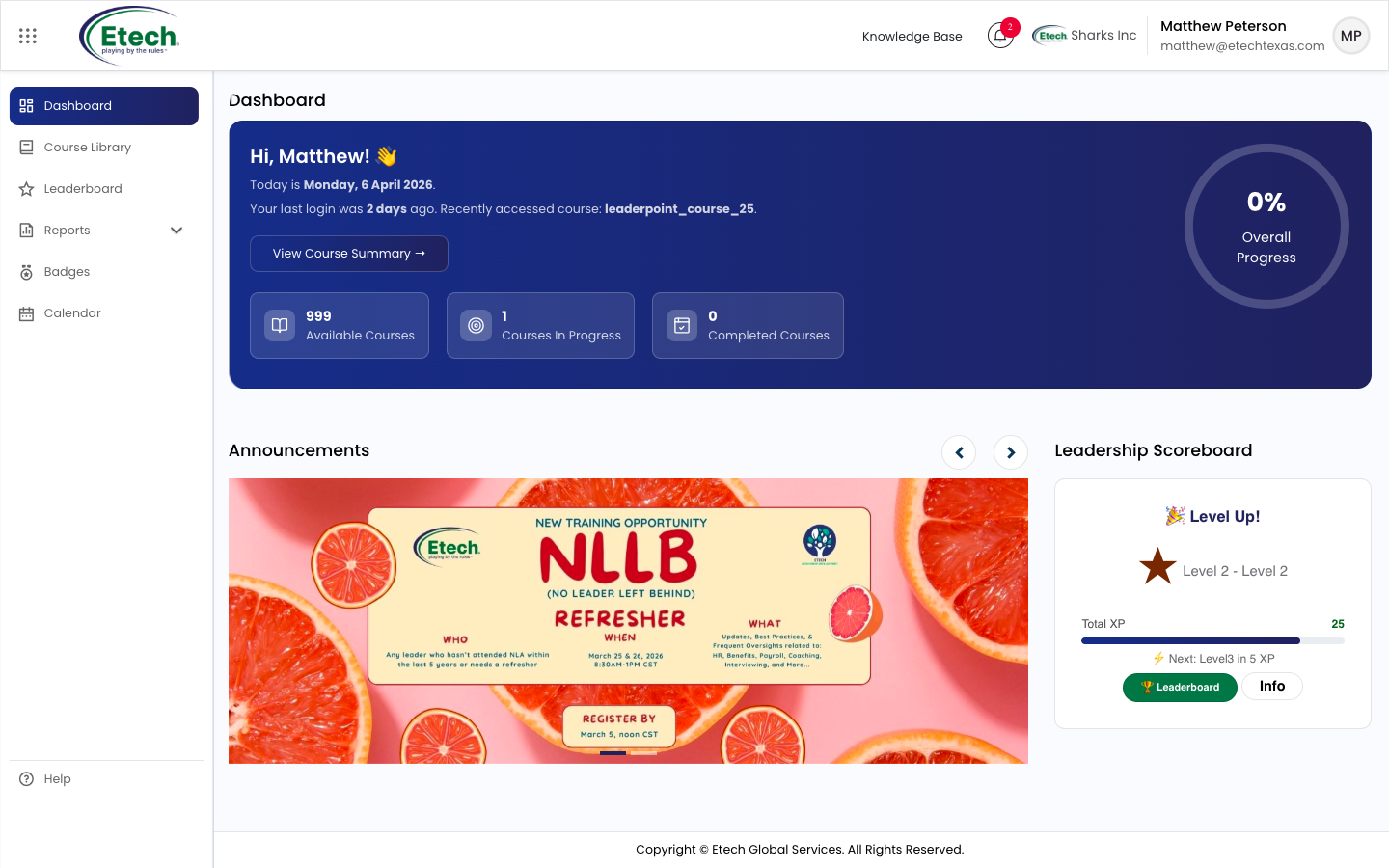
At the top, next to the notification bell icon, the name of the company the user (learner) belongs to is displayed, as shown.
Dashboard
The dashboard provides a comprehensive view of your learning activities and key updates:
Summary Cards
- Available Courses: Indicates the total number of courses accessible to you.
- Courses in Progress: Displays the number of courses you have started but not yet completed.
- Completed Courses: Reflects the total number of courses you have successfully completed.
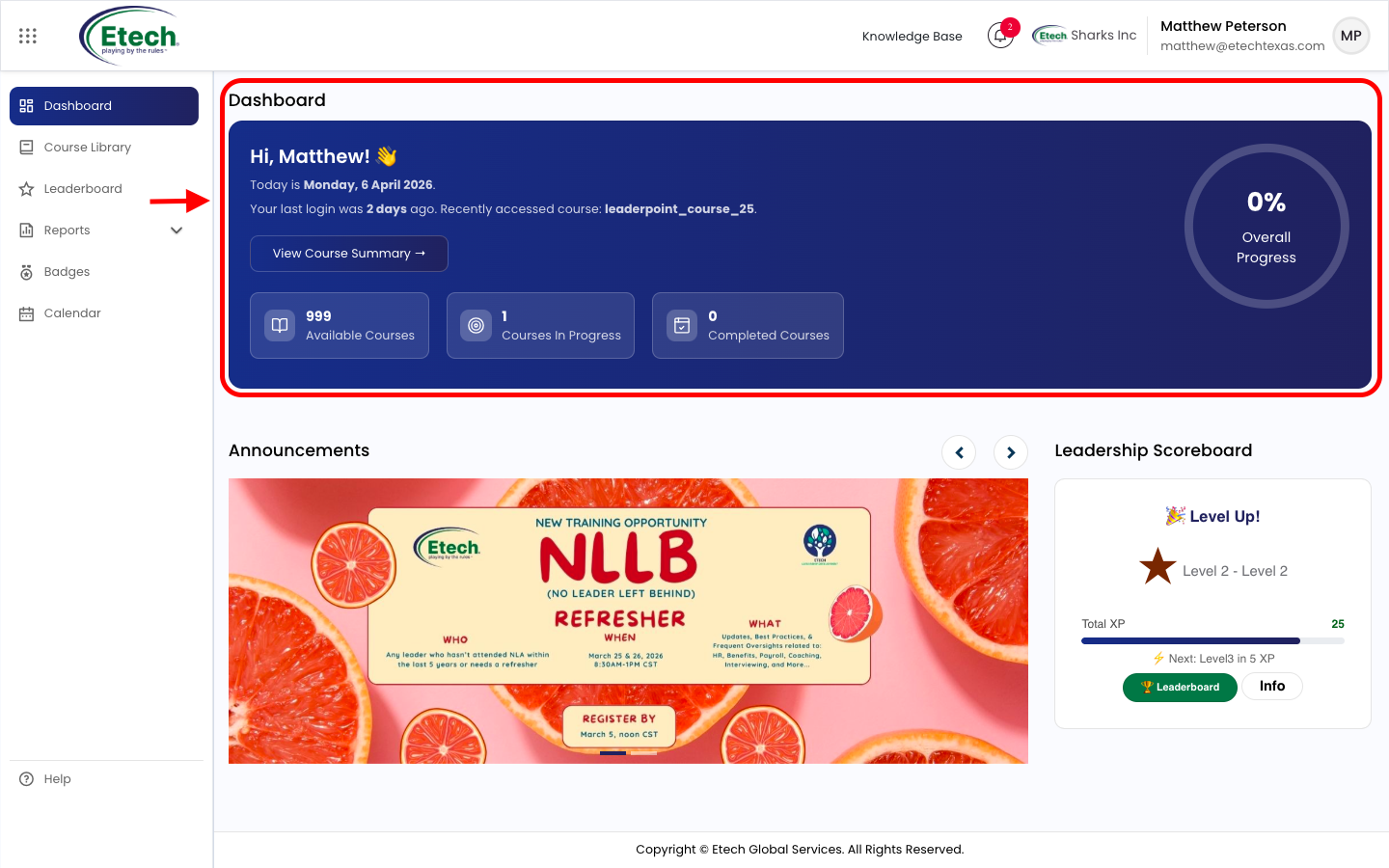
Action Button
- View Course Summary: Click to access detailed insights into your course progress and performance.
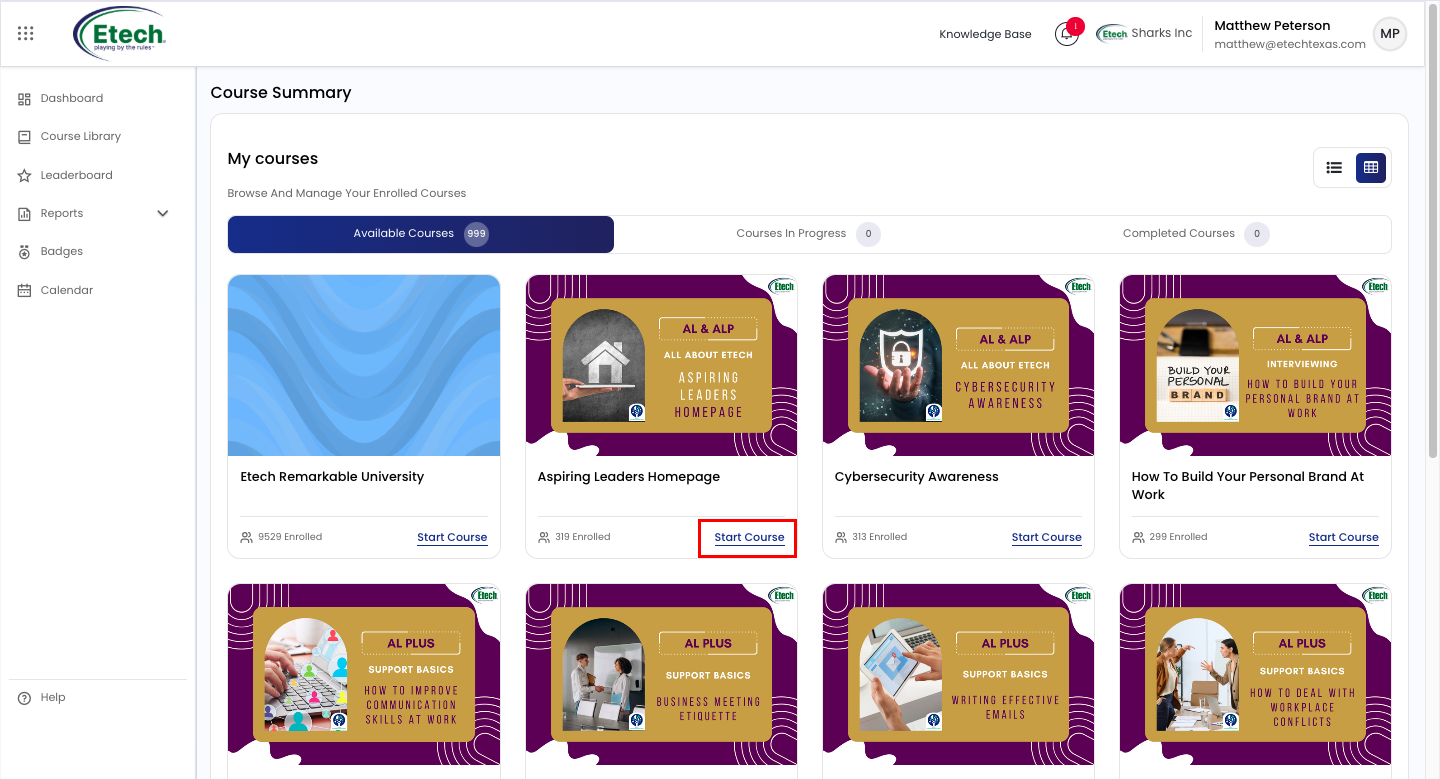
Course Tabs Navigation
Users can switch between different course views using the tabs:
- Available Courses: Displays all courses accessible to the user.
- Courses in Progress: Shows courses that have been started but not yet completed.
- Completed Courses: Lists all courses successfully completed by the user.
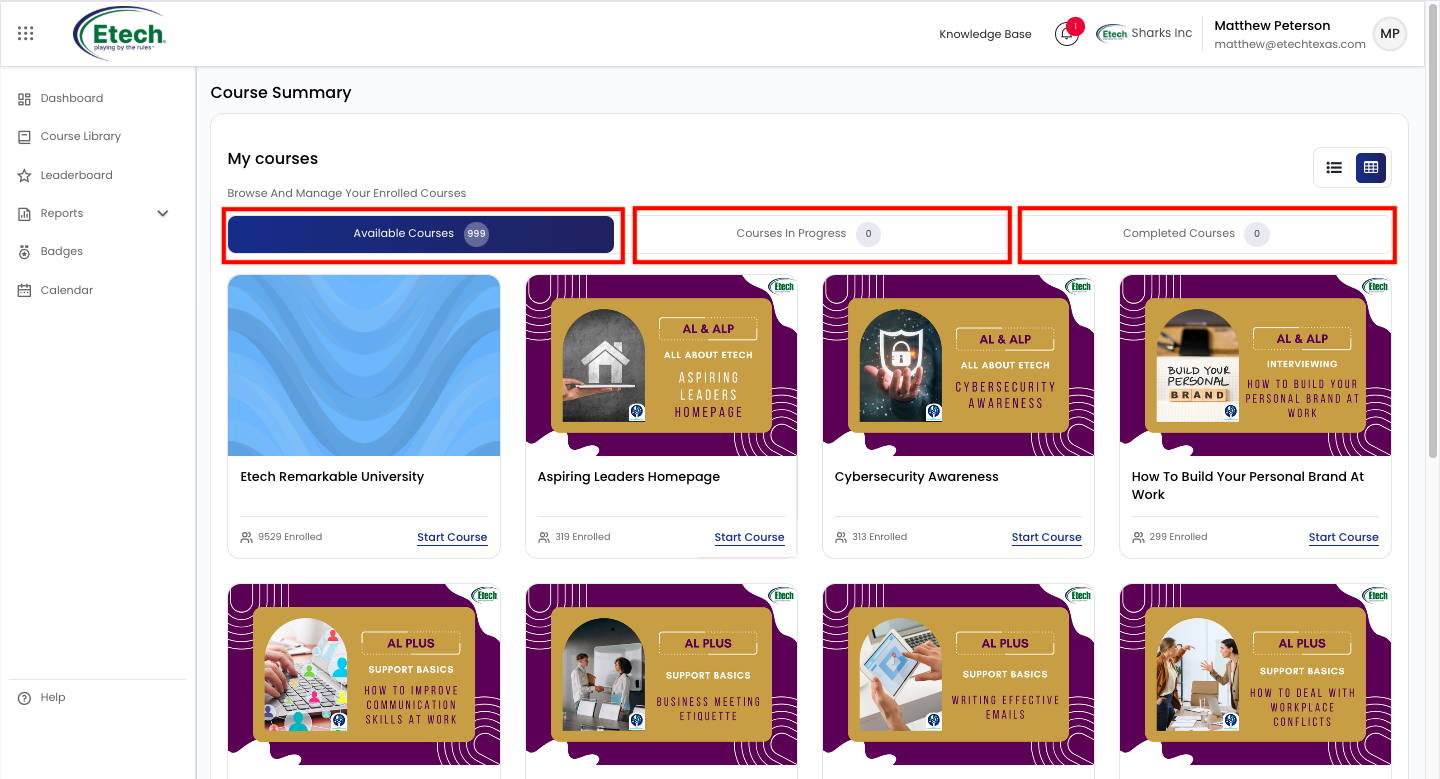
These tabs help users quickly filter and manage their learning progress.
View Toggle Options
In the top-right corner, users can switch between different layout views:
- Grid View: Displays courses in a card-based (tile) format.
- List View: Displays courses in a row-wise (list) format for easier scanning.
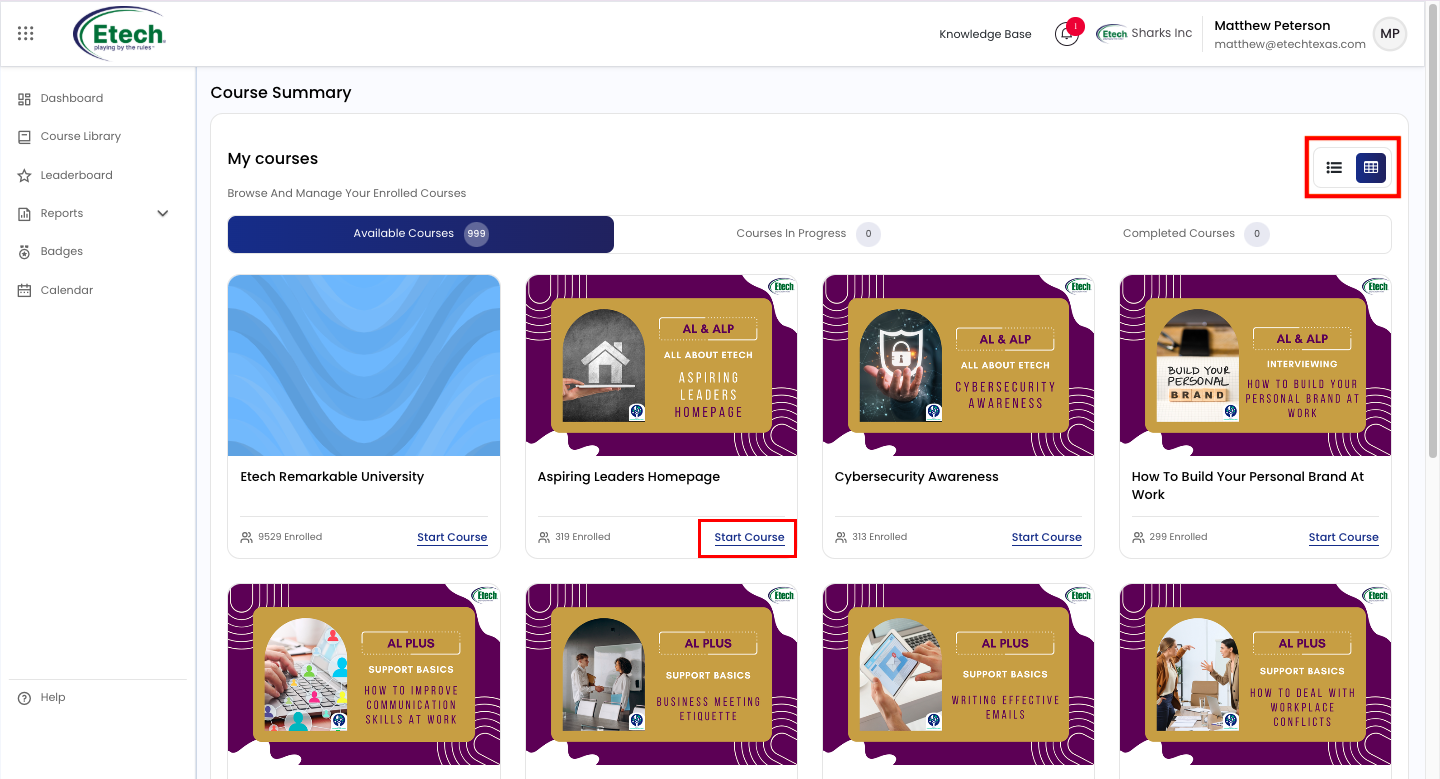
This feature allows users to customize how course information is displayed based on their preference.
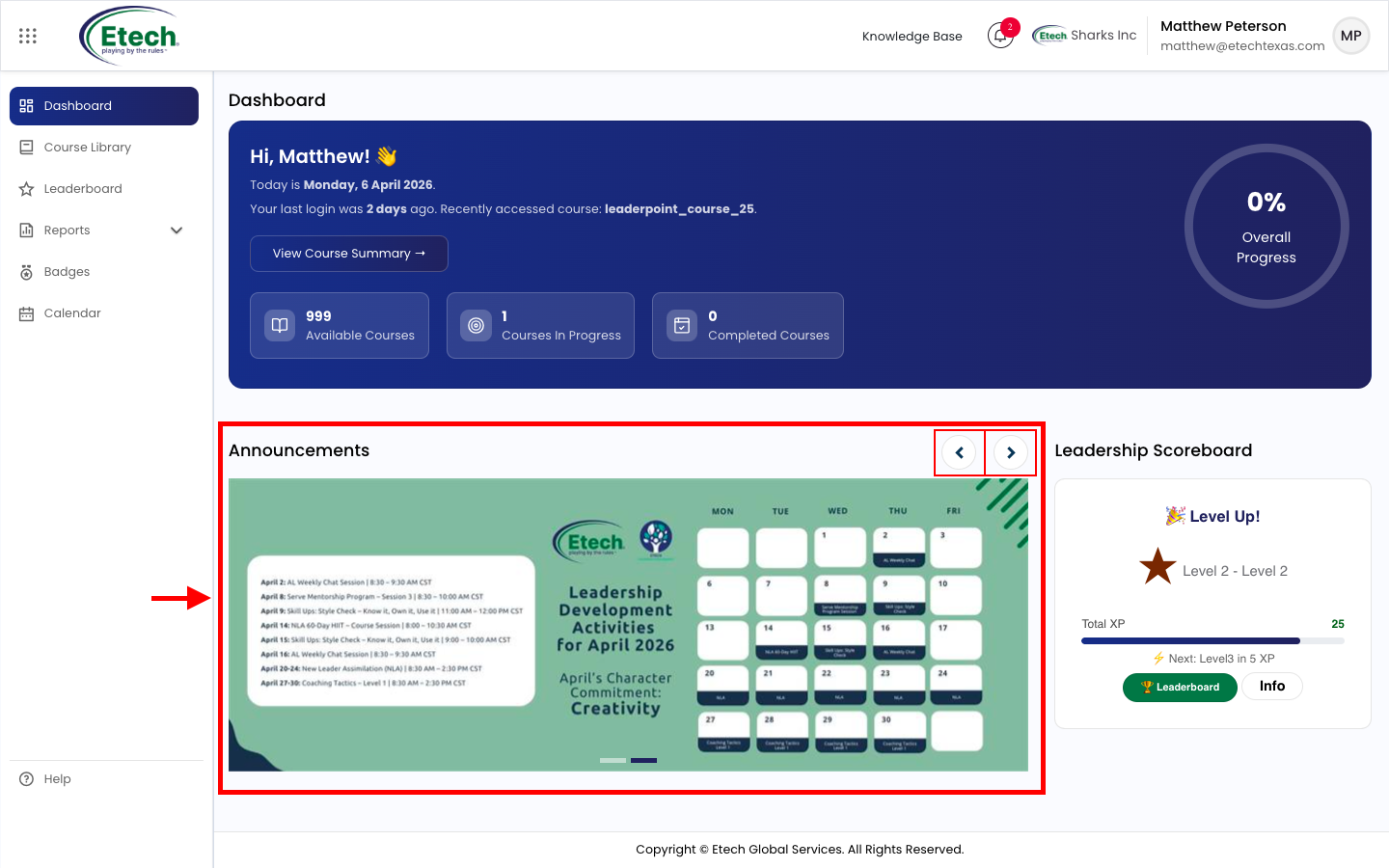
Announcements
Stay informed with important messages, updates, and organizational communications displayed in the announcements banner.
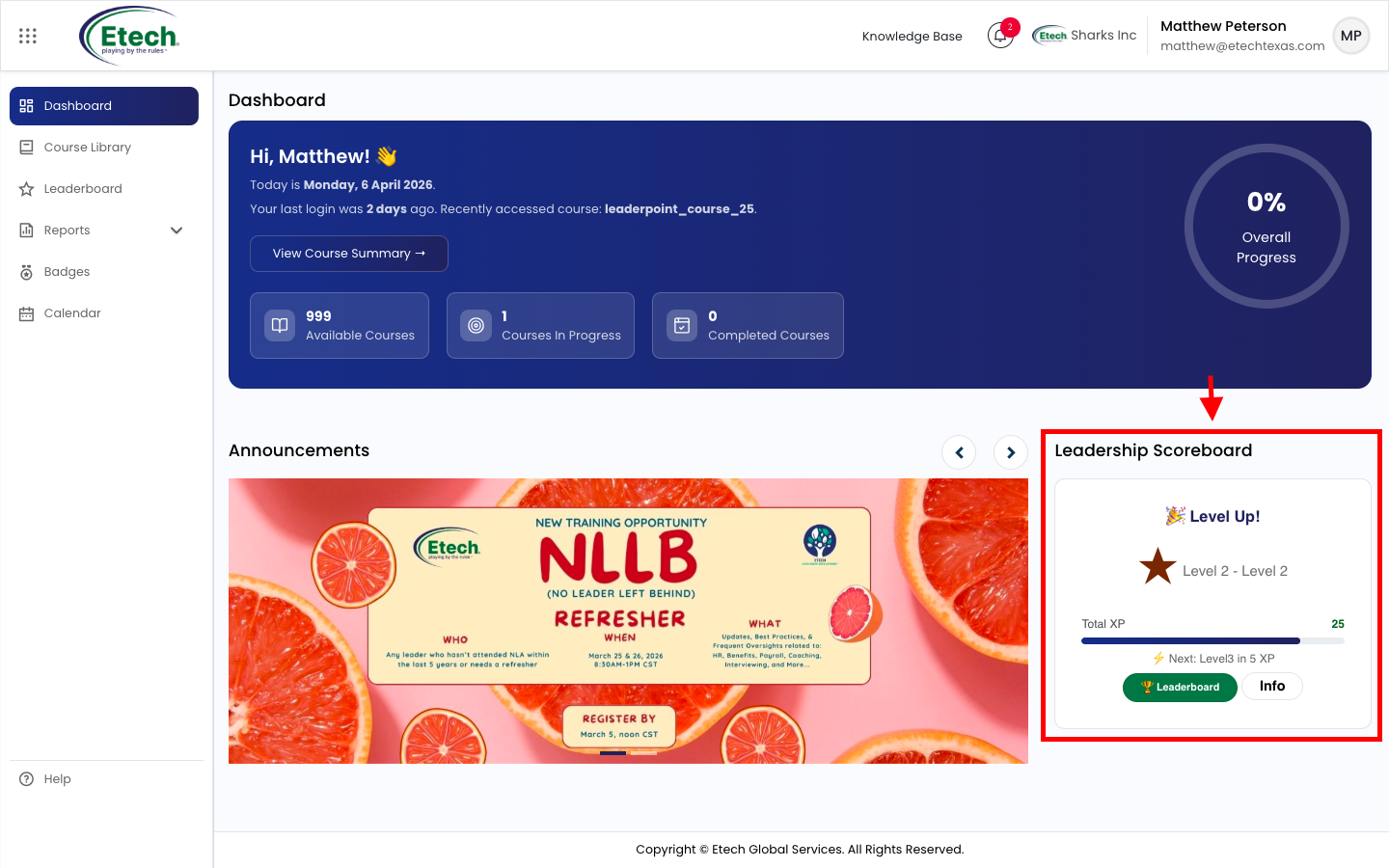
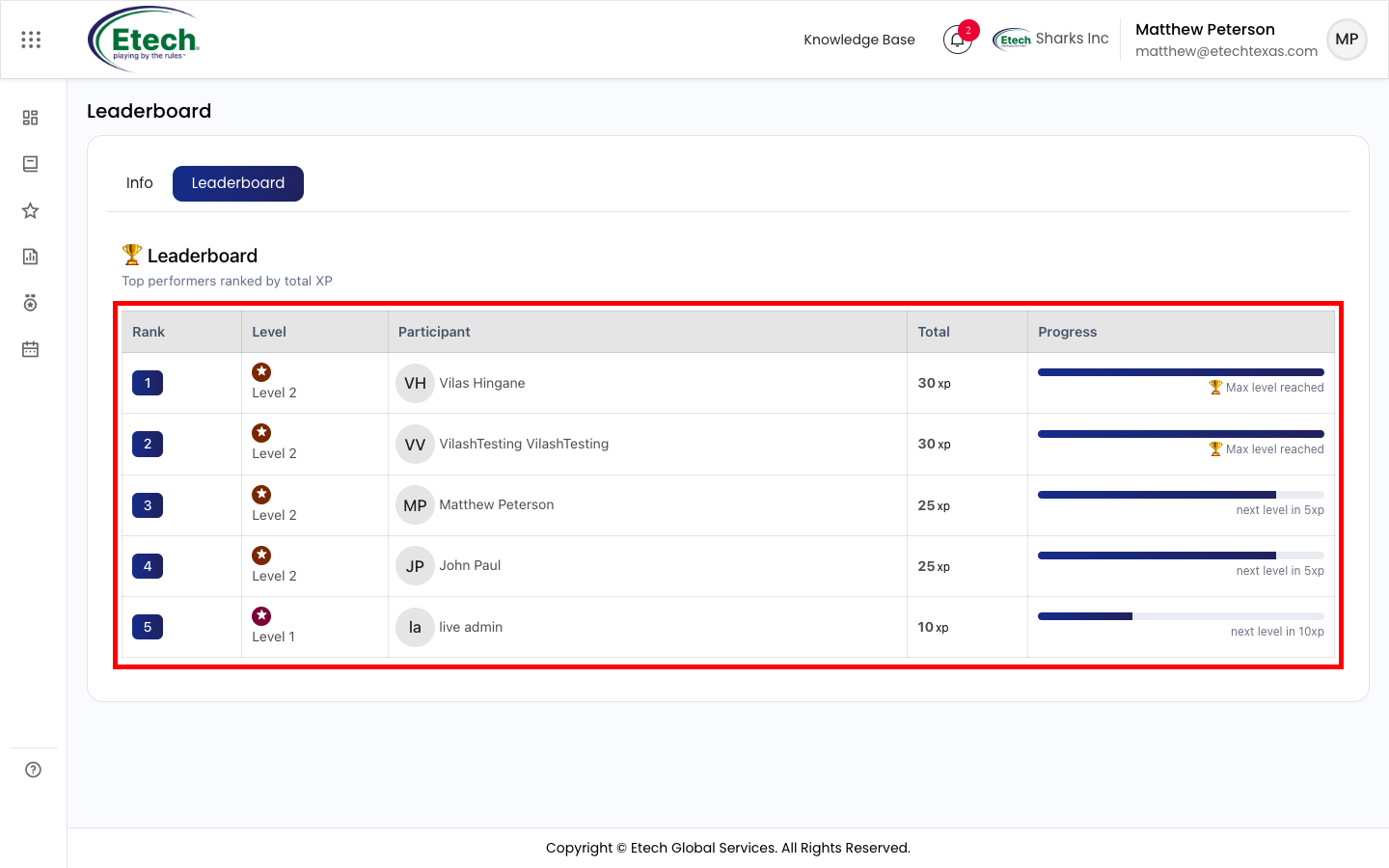
Leadership Scoreboard
Get a quick snapshot of top performers within your department, helping you track performance and stay motivated.

Video