A Product of Global Services

FAQ's

Access & Login

How can I access the EtechRU platform?

You can access EtechRU by navigating to the official portal: www.etechru.com

What should I do if I forget my EtechRU login credentials?

If you have forgotten your EtechRU username or password, click the Forgot Username or Password link on the login page and follow the on-screen instructions to recover your username or reset your password.
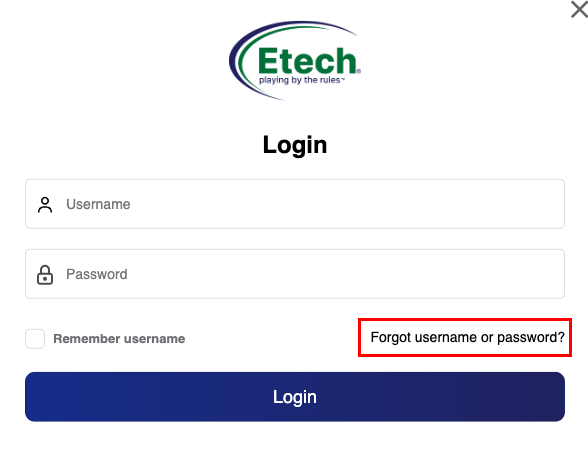
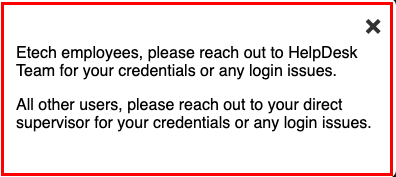
Please follow the latest support guidelines below:

  • Etech Employees: Contact the HelpDesk Team for credential recovery or login assistance.
  • All Other Users: Reach out to your direct supervisor for support with account credentials or access issues
Who is eligible to use EtechRU?

All licensed organizations/users who have subscribed to EtechRU can access the LMS portal. It is available to associated employees across departments and geographies. Access levels vary based on user roles.
Programs & Learning Modules

How can I register for a new course or program?

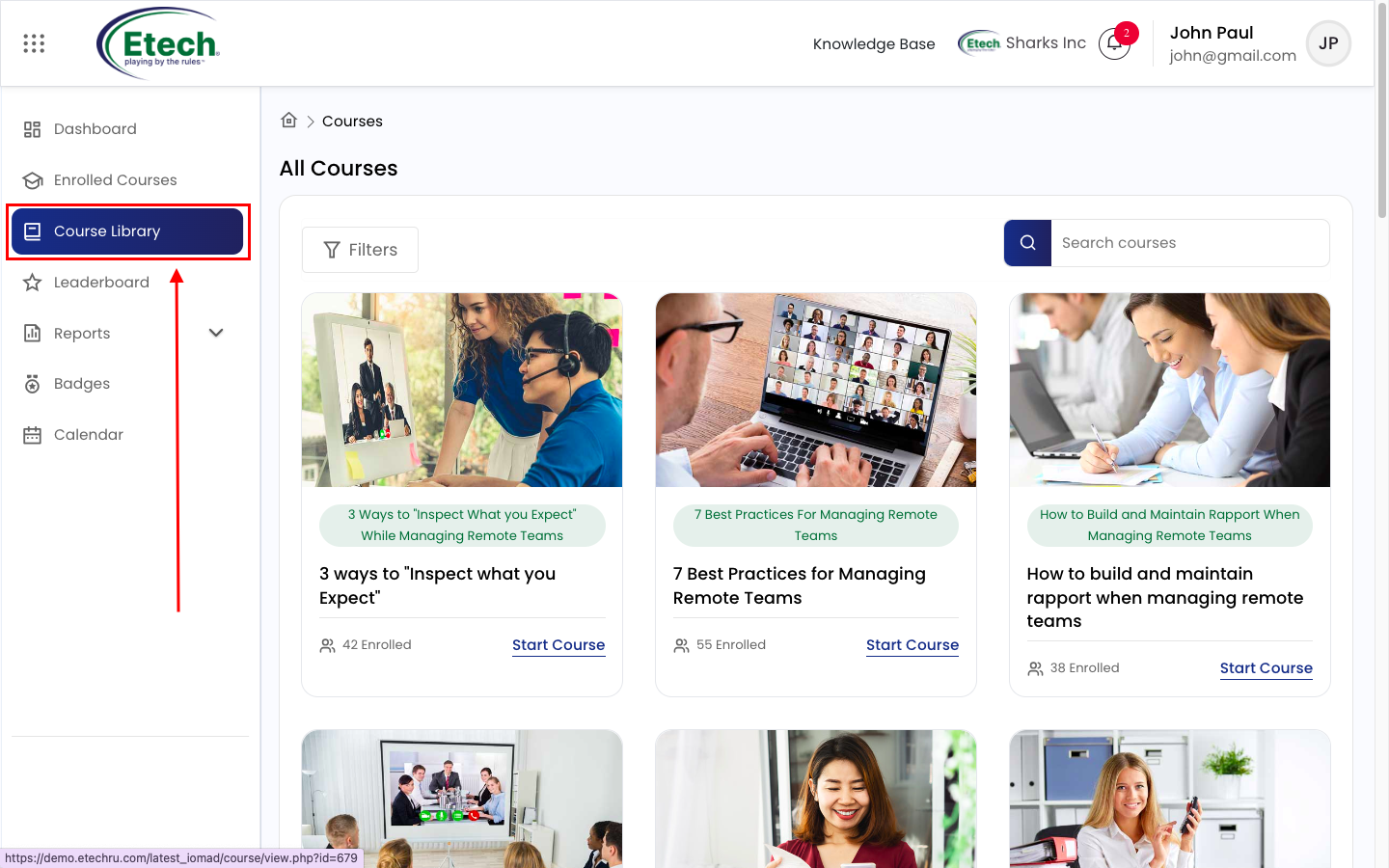
Log in to EtechRU using your username and password. Navigate to the Course Library, search or browse for the desired course, and click “Start Course”.


Course Progress & Achievements

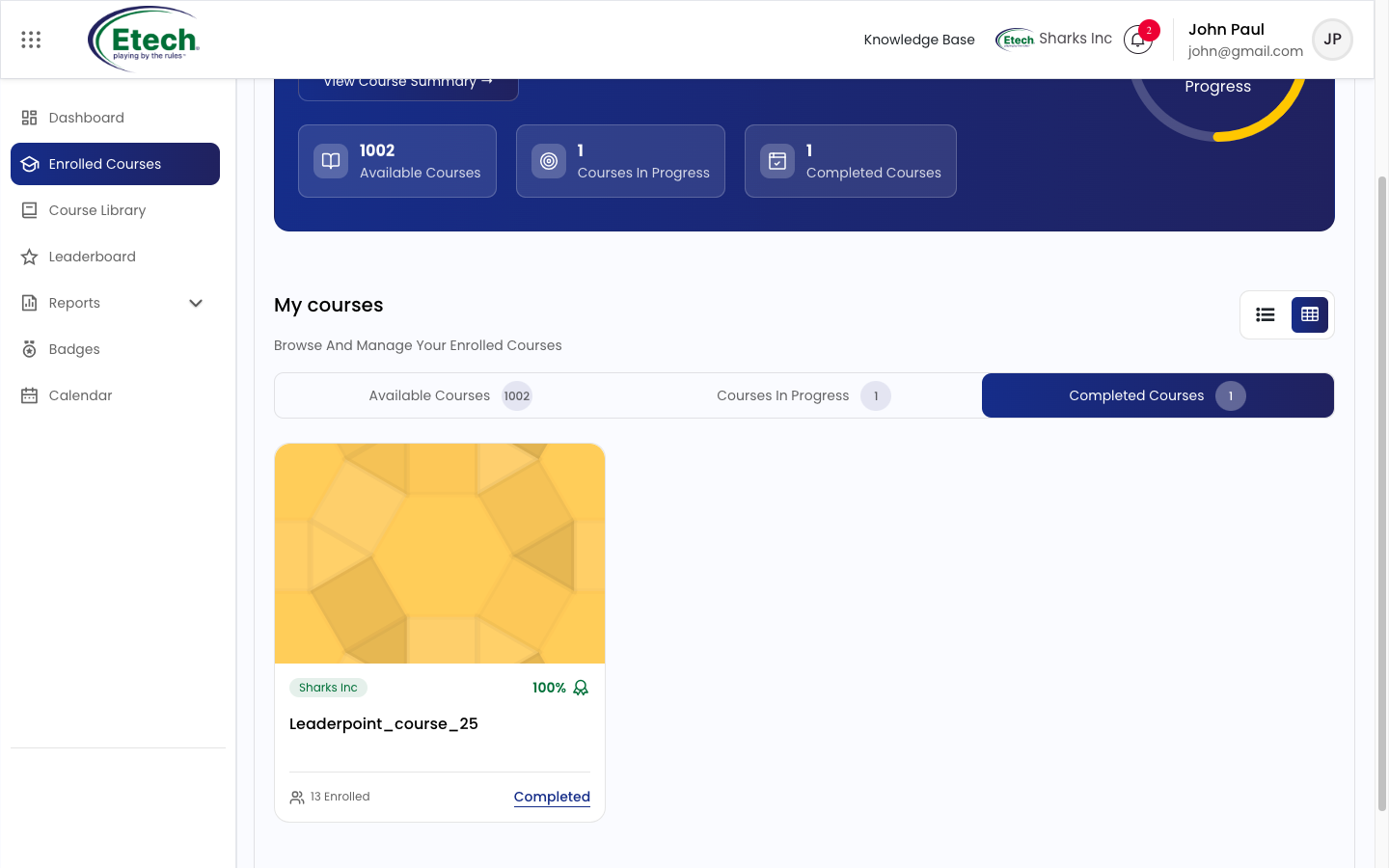
How do I check my course progress in EtechRU?

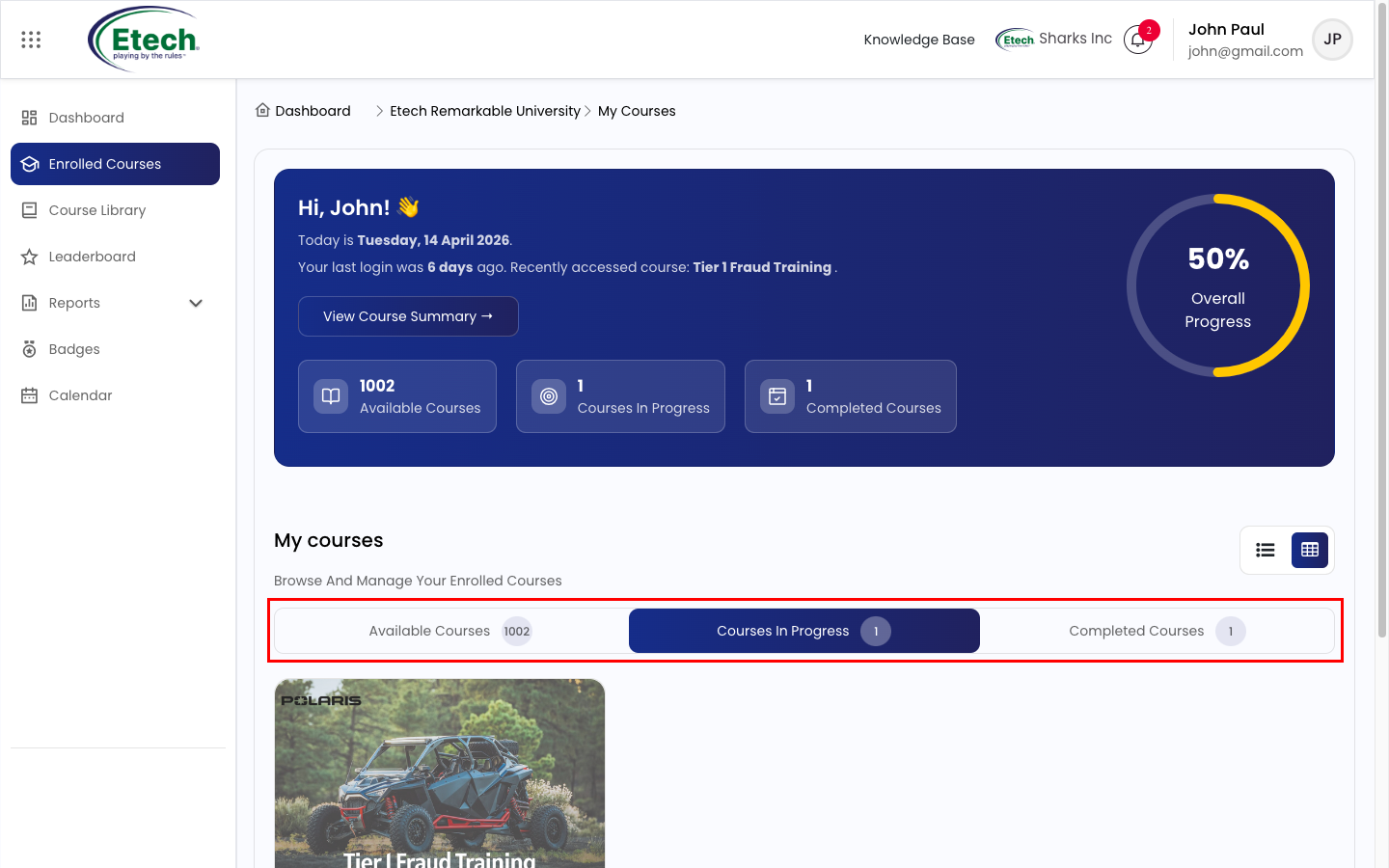
Go to Enrolled Courses from the left menu to view your enrolled courses and track your progress status.

Will I receive certification after completing a course?

Yes, upon successful course completion, a digital certificate will be available in your Certificate Reports Section. You can also download it.

How can I track my development goals through EtechRU?

At present, the functionality to track development goals is not available on EtechRU.

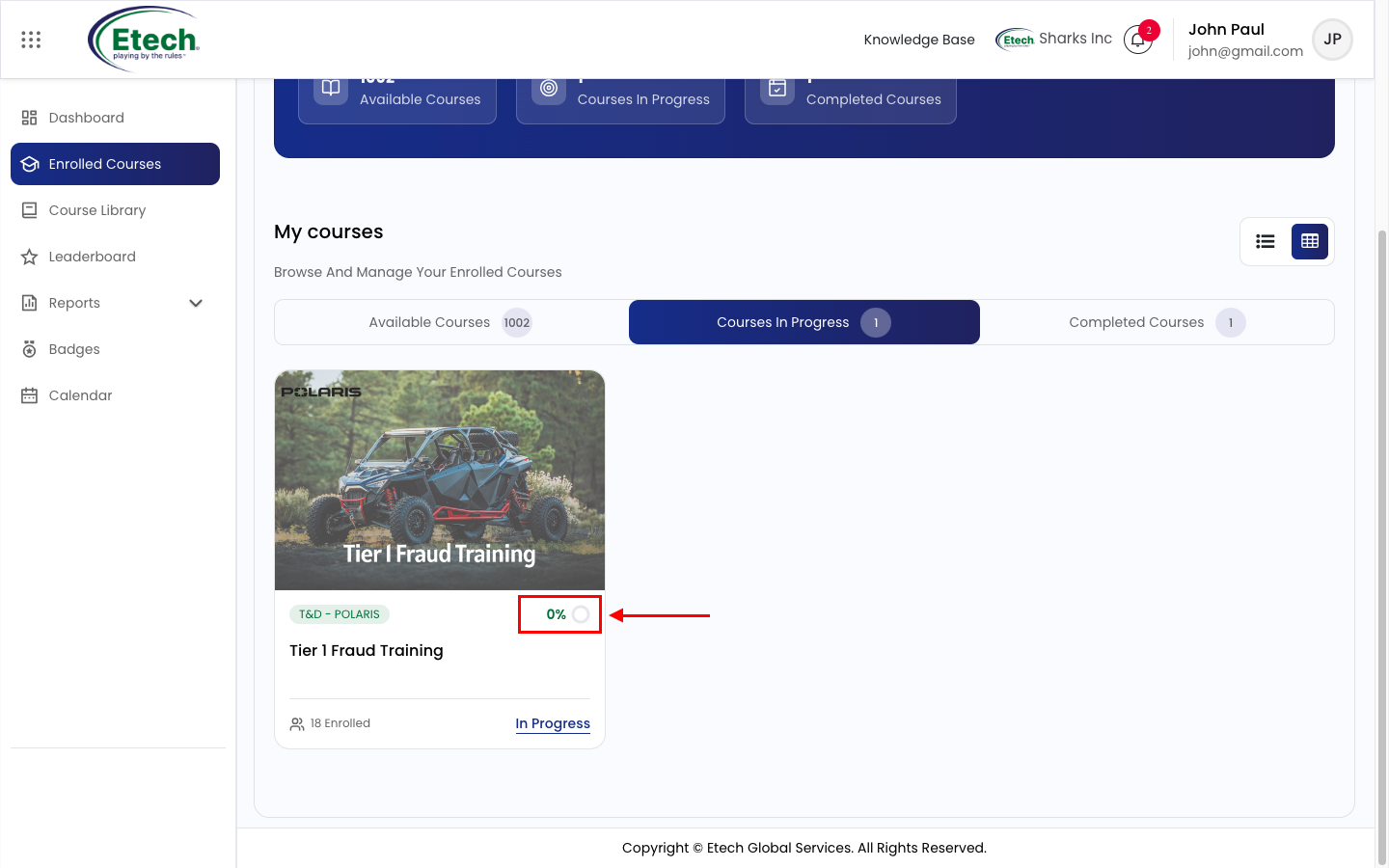
How do I track my course completion progress?

Under the My Courses section, each course will display a progress bar indicating completion percentage.

How can I view completed topics within a course?

Navigate to My Courses > Select your course > View the left-hand Course Overview Panel for completion percentage and topic status.

What should I do if my course progress isn’t updating?

Ensure all activities are completed in the required sequence. Try refreshing your browser or logging out/in. Contact support if the issue persists.

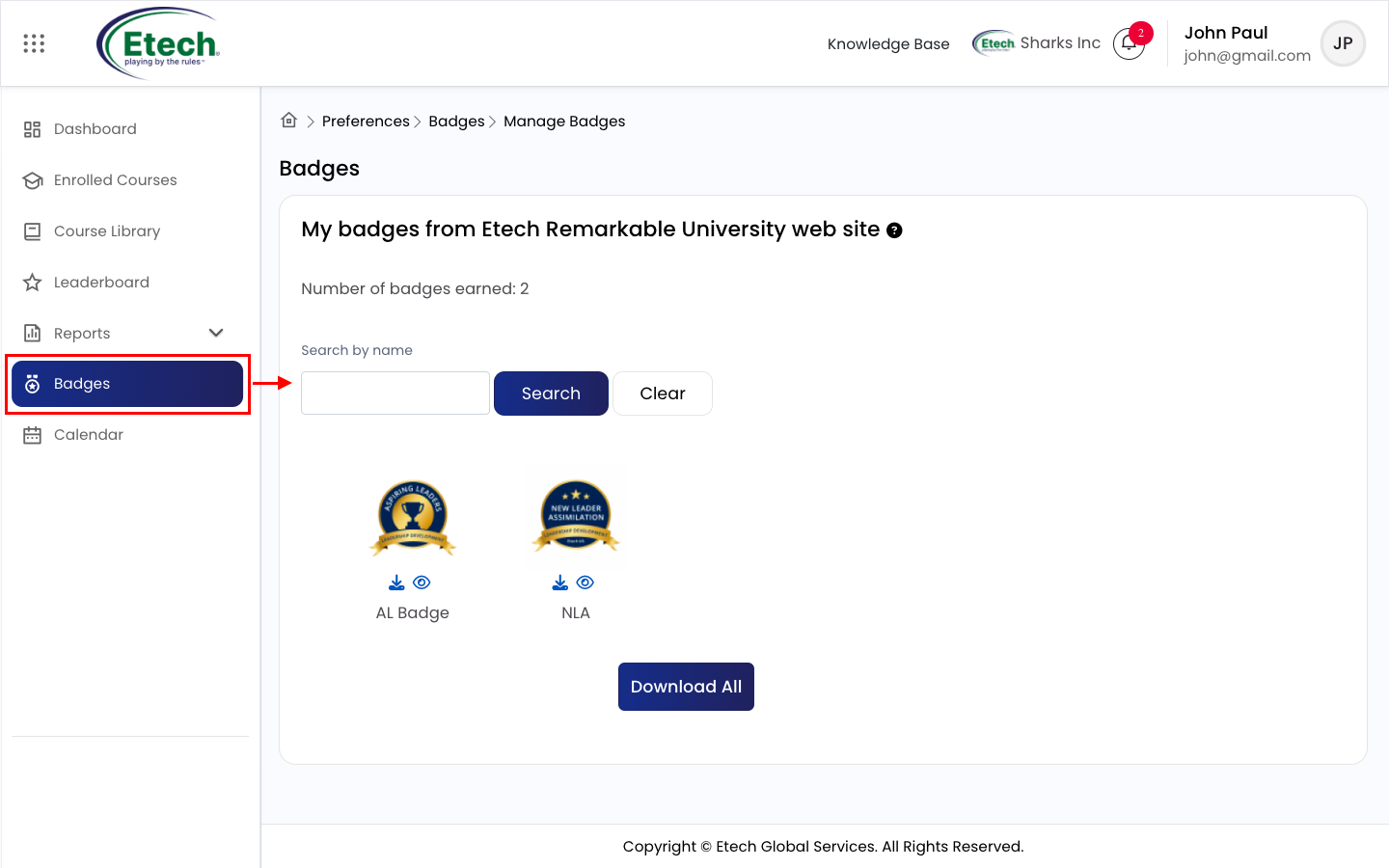
How do I view my earned badges?

From the main menu, click on View Badges (Milestones) to see all badges you have earned.

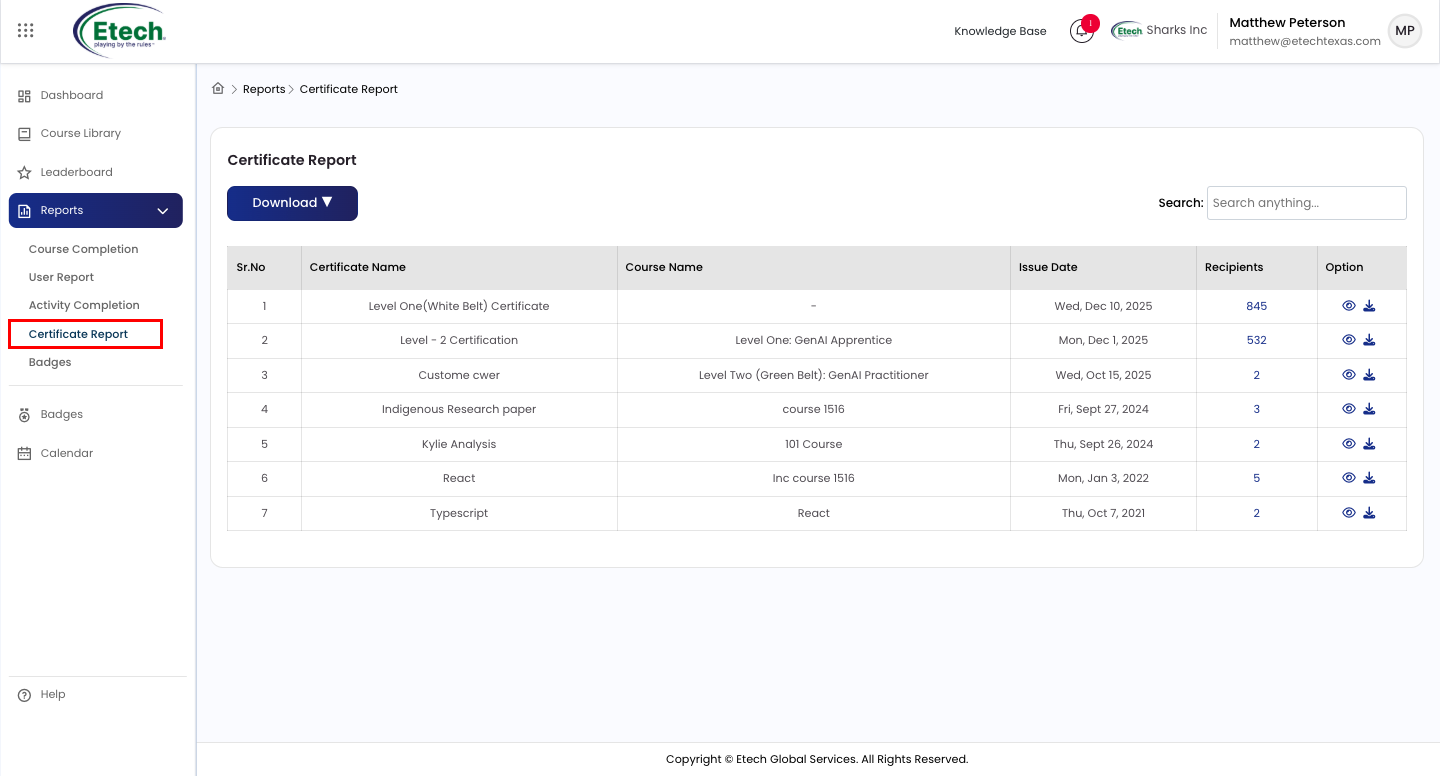
How do I find and download my certificates?

Navigate to Reports > Certificates. Use the Search option to locate a certificate, then click the Eye icon to view it or Download button to save a copy to your device.

Technical Support & Troubleshooting

What should I do if a course video or content is not loading?

Ensure you are using a compatible browser (preferably Chrome), and clear the cache and cookies.

Can I use EtechRU on mobile devices?

No, the platform is not mobile-responsive. For optimal performance and the best user experience, EtechRU should be accessed using a desktop or laptop browser only.

Role-Specific Tools (Managers & Trainers)

How can a team lead assign courses to their team?

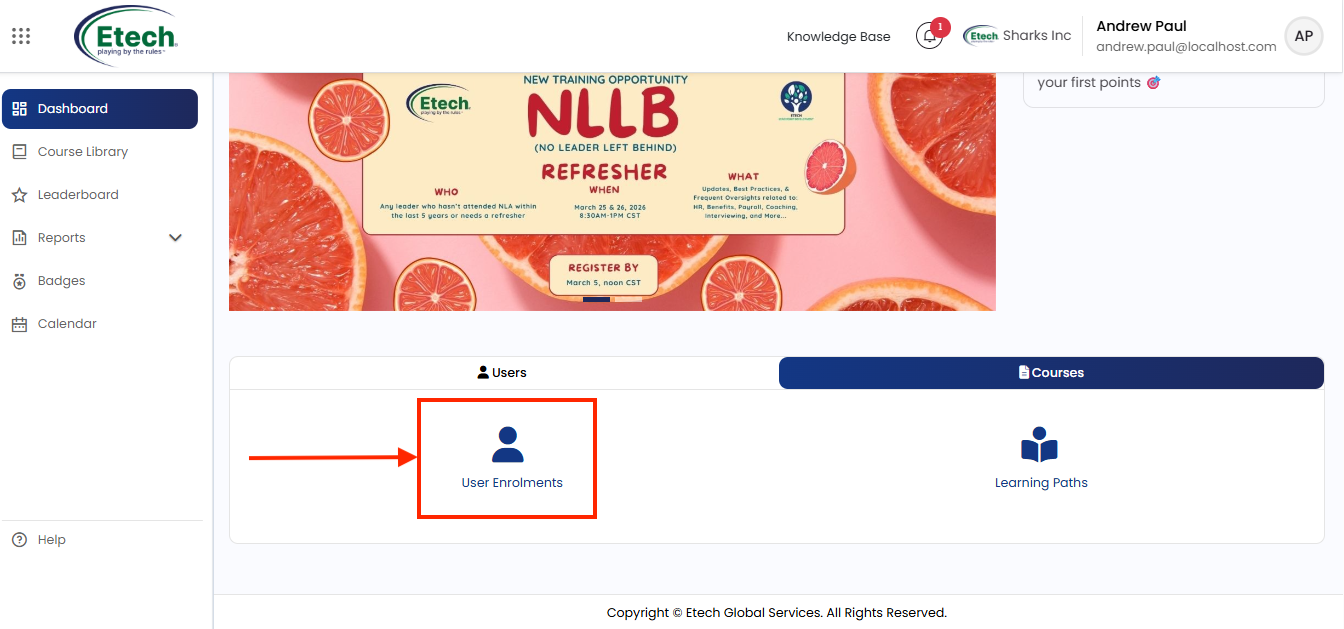
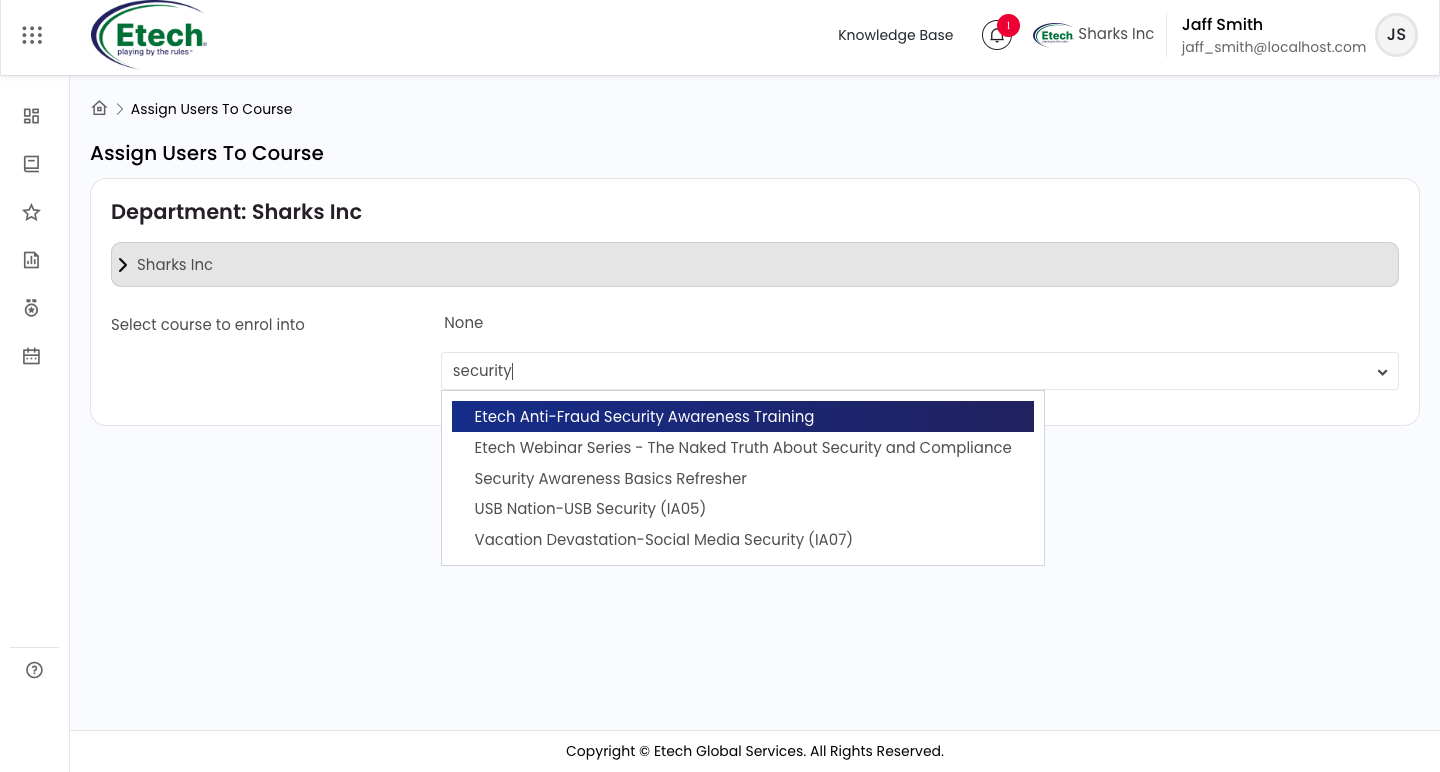
Using the Department Manager role, go to User Enrollment, select the required course, then choose users from the available list and click Enroll to assign the course. 

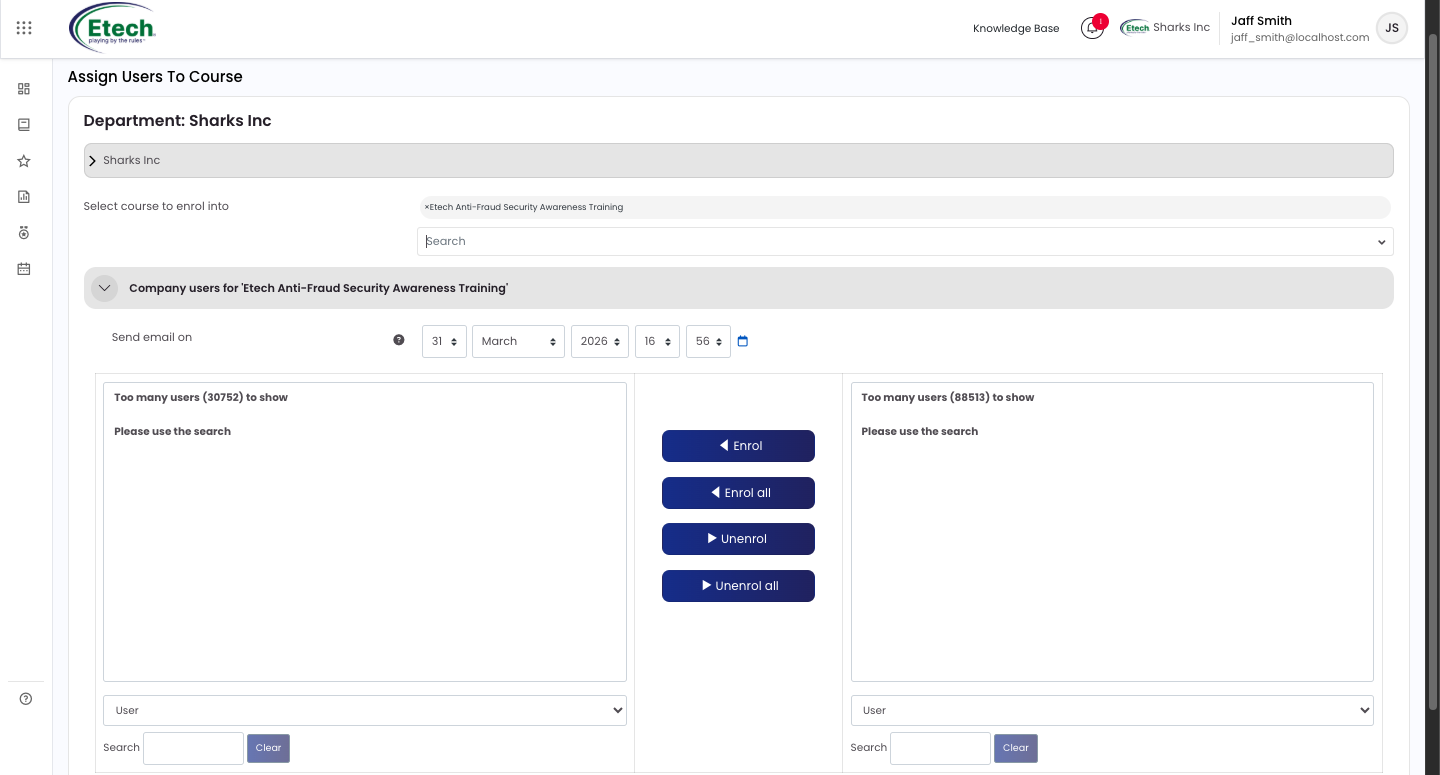
Once a course is selected, the enrolment panel loads showing:

You can also use Enroll All to assign the course to all listed users at once. Use the search option to quickly find specific courses or users, and monitor learner progress after enrollment.

Help & Resources

How do I access video tutorials?

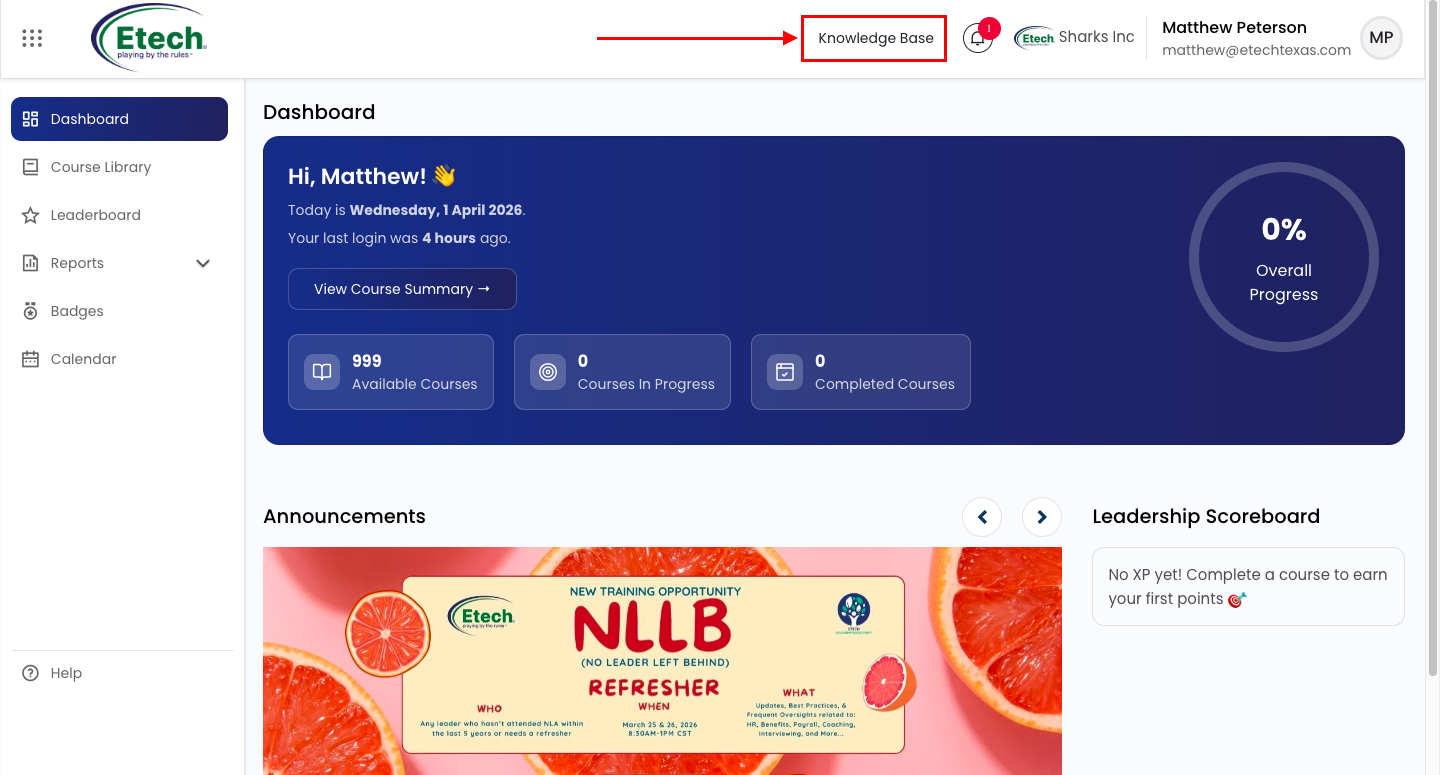
Click on the Knowledge Base option on the portal as shown, then select Video Guide to access tutorials on platform features.

Where can I find detailed instructions for specific features?

Visit the Learner Guide section under the Knowledge Base for detailed feature instructions and user guidance.

Is there a way to provide feedback on courses?

Yes, via the Feedback button or after course completion.

Additional Features & Community Engagement

What is “The Pantry” section in EtechRU?

“The Pantry” is a curated resource library offering wellness, leadership, and self-improvement materials. It features blogs, videos, and self-paced guides to support personal and professional growth.

Can I suggest new training topics or modules?

Absolutely! Employees are encouraged to submit their ideas using the “Suggest Content” form, available under the Help tab.

wpChatIcon
wpChatIcon